Diffusers How to use WiroAI/Rose-Flux-LoRA with Diffusers:
pip install -U diffusers transformers accelerate
import torch
from diffusers import DiffusionPipeline

# switch to "mps" for apple devices
pipe = DiffusionPipeline.from_pretrained("black-forest-labs/FLUX.1-dev", dtype=torch.bfloat16, device_map="cuda")
pipe.load_lora_weights("WiroAI/Rose-Flux-LoRA")

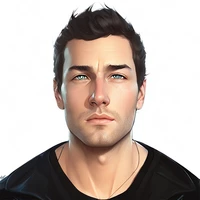
prompt = "rosewiro, a young woman with silky black hair tied into a loose ponytail and striking green eyes. She wears a cozy beige sweater and jeans, sitting by a large window in a sunlit room. A steaming cup of tea rests in her hands as she gazes outside with a serene expression. Ultra-HD, realistic, with intricate details of her hair texture, soft lighting, and the peaceful ambiance of the room."
image = pipe(prompt).images[0]