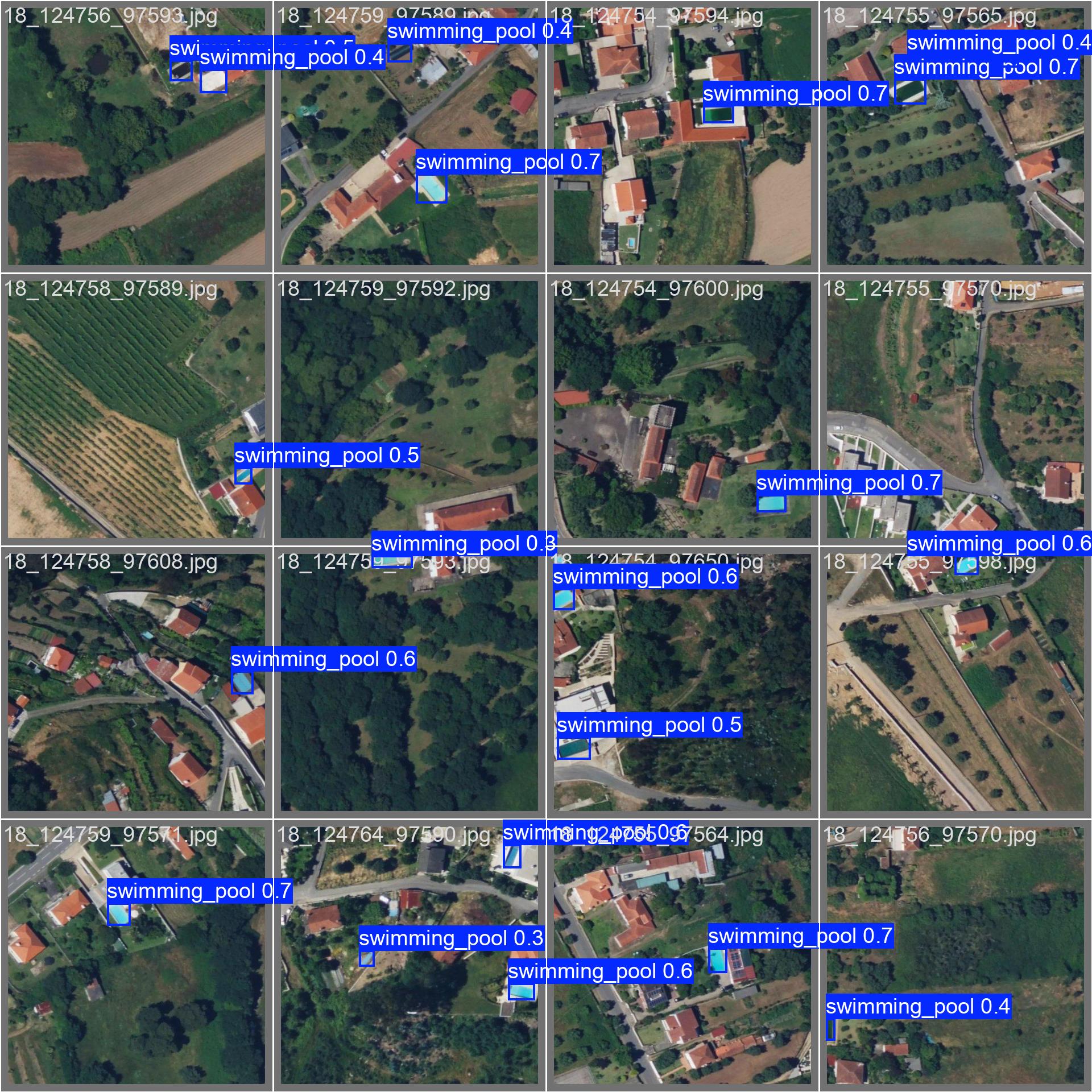
Instructions to use mozilla-ai/swimming-pool-detector with libraries, inference providers, notebooks, and local apps. Follow these links to get started.
- Libraries
- ultralytics
How to use mozilla-ai/swimming-pool-detector with ultralytics:
from huggingface_hub import hf_hub_download from ultralytics import YOLO # pick the weights file from this repo's "Files and versions" tab weights = hf_hub_download("mozilla-ai/swimming-pool-detector", "<weights>.pt") model = YOLO(weights) source = 'http://images.cocodataset.org/val2017/000000039769.jpg' model.predict(source=source, save=True) - Notebooks
- Google Colab
- Kaggle
Download val_batch0_pred.jpg from mozilla-ai/swimming-pool-detector: direct link, hf CLI and curl.
- Browser
- Download file 683 kB
-
https://huggingface.co/mozilla-ai/swimming-pool-detector/resolve/main/val_batch0_pred.jpg
- Command line
-
hf download hf://mozilla-ai/swimming-pool-detector/val_batch0_pred.jpg
-
curl -L -o val_batch0_pred.jpg https://huggingface.co/mozilla-ai/swimming-pool-detector/resolve/main/val_batch0_pred.jpg
683 kB

- Xet hash:
- b95abbe781c6a97a709d567f0aa37219b252ac386e94d5aafe35988bb417d247
- Size of remote file:
- 683 kB
- SHA256:
- 0c02cca5abeba52890027fefcd3655503f3c28c67caa67d6b009b7fbfbab0206
·
Xet efficiently stores Large Files inside Git, intelligently splitting files into unique chunks and accelerating uploads and downloads. More info.