

How to use from
llama.cppInstall from WinGet (Windows)
winget install llama.cpp
# Start a local OpenAI-compatible server with a web UI:
llama serve -hf calcuis/lumina-gguf:# Run inference directly in the terminal:
llama cli -hf calcuis/lumina-gguf:Use pre-built binary
# Download pre-built binary from:
# https://github.com/ggerganov/llama.cpp/releases# Start a local OpenAI-compatible server with a web UI:
./llama-server -hf calcuis/lumina-gguf:# Run inference directly in the terminal:
./llama-cli -hf calcuis/lumina-gguf:Build from source code
git clone https://github.com/ggerganov/llama.cpp.git
cd llama.cpp
cmake -B build
cmake --build build -j --target llama-server llama-cli# Start a local OpenAI-compatible server with a web UI:
./build/bin/llama-server -hf calcuis/lumina-gguf:# Run inference directly in the terminal:
./build/bin/llama-cli -hf calcuis/lumina-gguf:Use Docker
docker model run hf.co/calcuis/lumina-gguf:Quick Links
gguf quantized version of lumina
- run it straight with
gguf-connector
ggc l2
GGUF file(s) available. Select which one to use:
- lumina2-q2_k.gguf
- lumina2-q4_0.gguf
- lumina2-q8_0.gguf
Enter your choice (1 to 3): _
- opt a
gguffile in your current directory to interact with; nothing else - you will get the image output in few seconds even with the beginner level gpu
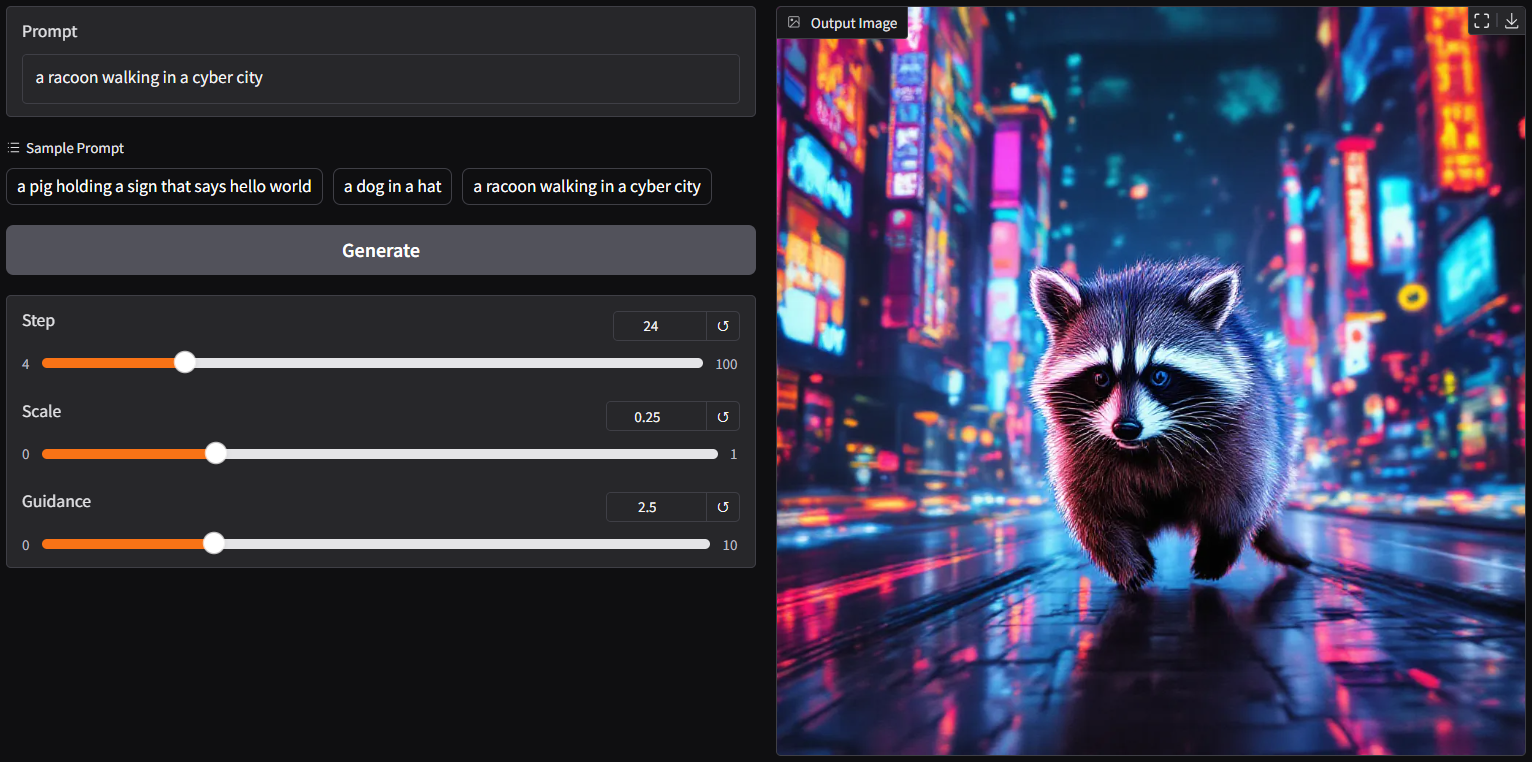
run it with gguf-node via comfyui
- drag lumina2 (opt anyone you like) to >
./ComfyUI/models/diffusion_models - drag gemma2-2b [2.32GB] and tokenizer [4.24MB] to >
./ComfyUI/models/text_encoders - drag pig [168MB] to >
./ComfyUI/models/vae
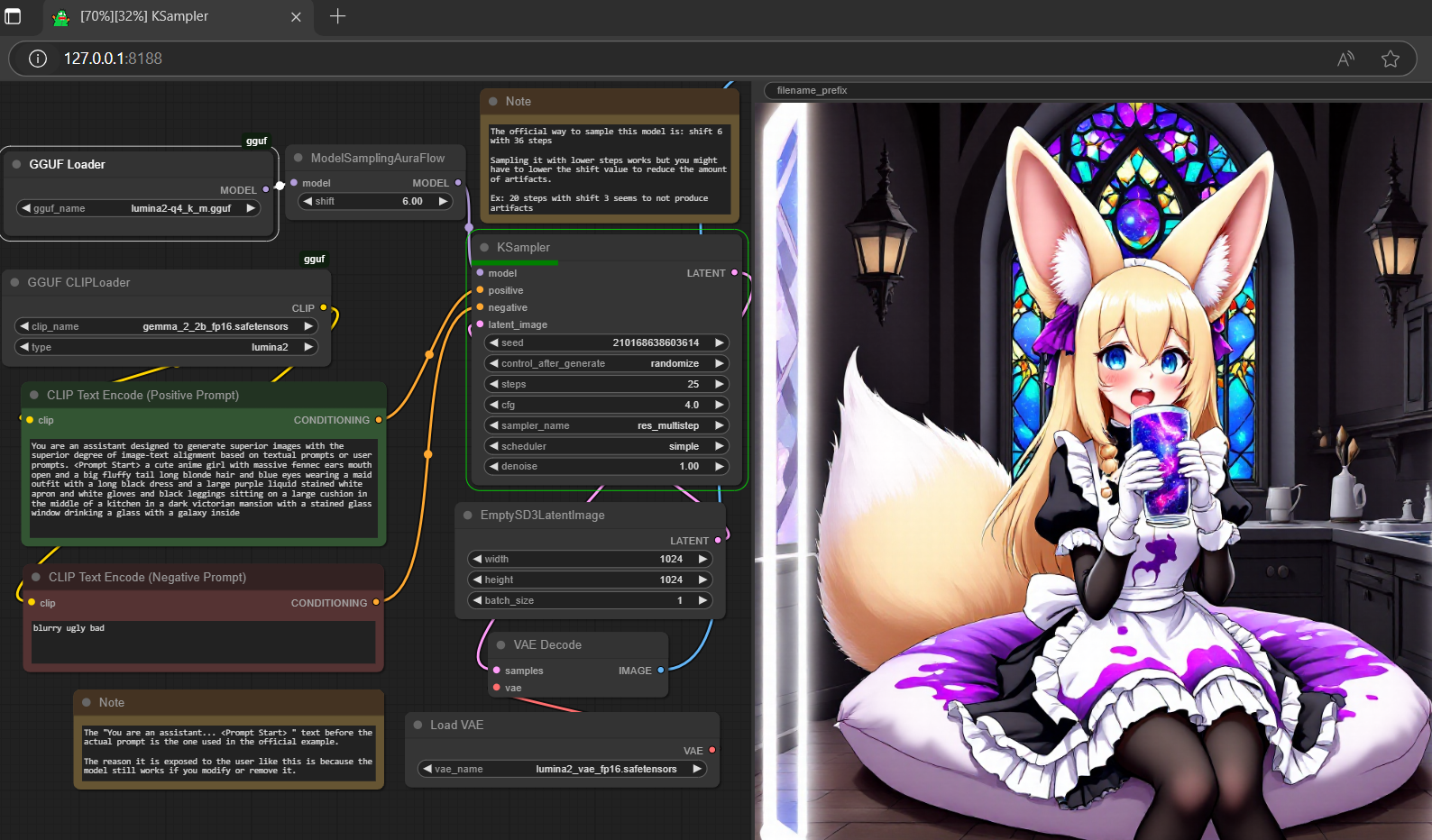

- Prompt
- You are an assistant designed to generate superior images with the superior degree of image-text alignment based on textual prompts or user prompts. <Prompt Start> a cute anime girl with massive fennec ears mouth open and a big fluffy tail long blonde hair and blue eyes wearing a maid outfit with a long black dress and a large purple liquid stained white apron and white gloves and black leggings sitting on a large cushion in the middle of a kitchen in a dark victorian mansion with a stained glass window drinking a glass with a galaxy inside
- Negative Prompt
- blurry ugly bad

- Prompt
- You are an assistant designed to generate superior images with the superior degree of image-text alignment based on textual prompts or user prompts. <Prompt Start> a cute anime girl with massive fennec ears mouth open and a big fluffy tail long blonde hair and blue eyes wearing a maid outfit with a long black dress and a large purple liquid stained white apron and white gloves and black leggings sitting on a large cushion in the middle of a kitchen in a dark victorian mansion with a stained glass window drinking a glass with a galaxy inside
- Negative Prompt
- blurry ugly bad

- Prompt
- You are an assistant designed to generate superior images with the superior degree of image-text alignment based on textual prompts or user prompts. <Prompt Start> a cute anime girl with massive fennec ears mouth open and a big fluffy tail long blonde hair and blue eyes wearing a maid outfit with a long black dress and a large purple liquid stained white apron and white gloves and black leggings sitting on a large cushion in the middle of a kitchen in a dark victorian mansion with a stained glass window drinking a glass with a galaxy inside
- Negative Prompt
- blurry ugly bad
reference
- base model from alpha-vllm
- finetune model from neta-art
- gemma-2-2b (act as text encoder) from google
- flux.1-dev vae (act as vae decoder) from black-forest-labs
- comfyui from comfyanonymous
- pig architecture from connector
- gguf-node (pypi|repo|pack)
- gguf-connector (pypi)
- Downloads last month
- 2,649
Hardware compatibility
Log In to add your hardware
2-bit
3-bit
4-bit
5-bit
6-bit
8-bit
16-bit
Model tree for calcuis/lumina-gguf
Base model
Alpha-VLLM/Lumina-Image-2.0
Install (macOS, Linux)
# Start a local OpenAI-compatible server with a web UI: llama serve -hf calcuis/lumina-gguf:# Run inference directly in the terminal: llama cli -hf calcuis/lumina-gguf: