

metadata_version string | name string | version string | summary string | description string | description_content_type string | author string | author_email string | maintainer string | maintainer_email string | license string | keywords string | classifiers list | platform list | home_page string | download_url string | requires_python string | requires list | provides list | obsoletes list | requires_dist list | provides_dist list | obsoletes_dist list | requires_external list | project_urls list | uploaded_via string | upload_time timestamp[us] | filename string | size int64 | path string | python_version string | packagetype string | comment_text string | has_signature bool | md5_digest string | sha256_digest string | blake2_256_digest string | license_expression string | license_files list | recent_7d_downloads int64 |
|---|---|---|---|---|---|---|---|---|---|---|---|---|---|---|---|---|---|---|---|---|---|---|---|---|---|---|---|---|---|---|---|---|---|---|---|---|---|---|---|
2.4 | cachify | 0.3.5 | A simple cache library with sync/async support, Memory and Redis backend | # Python Cachify Library
A simple and robust caching library for Python functions, supporting both synchronous and asynchronous code.
## Table of Contents
- [Features](#features)
- [Installation](#installation)
- [Usage](#usage)
- [Basic Usage](#basic-usage)
- [Redis Cache](#redis-cache)
- [Never Die Cache](#never-die-cache)
- [Skip Cache](#skip-cache)
- [Testing](#testing)
- [Contributing](#contributing)
- [License](#license)
## Features
- Cache function results based on function ID and arguments
- Supports both synchronous and asynchronous functions
- Thread-safe locking to prevent duplicate cached function calls
- Configurable Time-To-Live (TTL) for cached items
- "Never Die" mode for functions that should keep cache refreshed automatically
- Skip cache functionality to force fresh function execution while updating cache
- Redis cache for distributed caching across multiple processes/machines
## Installation
```bash
# Using pip
pip install cachify
# Using poetry
poetry add cachify
# Using uv
uv add cachify
```
## Usage
### Basic Usage
```python
from cachify import cache
# Cache function in sync functions
@cache(ttl=60) # ttl in seconds
def expensive_calculation(a, b):
# Some expensive operation
return a + b
# And async functions
@cache(ttl=3600) # ttl in seconds
async def another_calculation(url):
# Some expensive IO call
return await httpx.get(url).json()
```
### Decorator Parameters
| Parameter | Type | Default | Description |
| ---------------- | --------------- | ------- | -------------------------------------------------------------- |
| `ttl` | `int \| float` | `300` | Time to live for cached items in seconds |
| `never_die` | `bool` | `False` | If True, cache refreshes automatically in background |
| `cache_key_func` | `Callable` | `None` | Custom function to generate cache keys |
| `ignore_fields` | `Sequence[str]` | `()` | Function parameters to exclude from cache key |
| `no_self` | `bool` | `False` | If True, ignores the first parameter (usually `self` or `cls`) |
### Custom Cache Key Function
Use `cache_key_func` when you need custom control over how cache keys are generated:
```python
from cachify import cache
def custom_key(args: tuple, kwargs: dict) -> str:
user_id = kwargs.get("user_id") or args[0]
return f"user:{user_id}"
@cache(ttl=60, cache_key_func=custom_key)
def get_user_profile(user_id: int):
return fetch_from_database(user_id)
```
### Ignore Fields
Use `ignore_fields` to exclude specific parameters from the cache key. Useful when some arguments don't affect the result:
```python
from cachify import cache
@cache(ttl=300, ignore_fields=("logger", "request_id"))
def fetch_data(query: str, logger: Logger, request_id: str):
# Cache key only uses 'query', ignoring logger and request_id
logger.info(f"Fetching data for request {request_id}")
return database.execute(query)
```
### Redis Cache
For distributed caching across multiple processes or machines, use `rcache`:
```python
import redis
from cachify import setup_redis_config, rcache
# Configure Redis (call once at startup)
setup_redis_config(
sync_client=redis.from_url("redis://localhost:6379/0"),
key_prefix="{myapp}", # default: "{cachify}", prefix searchable on redis "PREFIX:*"
lock_timeout=10, # default: 10, maximum lock lifetime in seconds
on_error="silent", # "silent" (default) or "raise" in case of redis errors
)
@rcache(ttl=300)
def get_user(user_id: int) -> dict:
return fetch_from_database(user_id)
# Async version
import redis.asyncio as aredis
setup_redis_config(async_client=aredis.from_url("redis://localhost:6379/0"))
@rcache(ttl=300)
async def get_user_async(user_id: int) -> dict:
return await fetch_from_database(user_id)
```
### Never Die Cache
The `never_die` feature ensures that cached values never expire by automatically refreshing them in the background:
```python
# Cache with never_die (automatic refresh)
@cache(ttl=300, never_die=True)
def critical_operation(data_id: str):
# Expensive operation that should always be available from cache
return fetch_data_from_database(data_id)
```
**How Never Die Works:**
1. When a function with `never_die=True` is first called, the result is cached
2. A background thread monitors all `never_die` functions
3. On cache expiration (TTL), the function is automatically called again
4. The cache is updated with the new result
5. If the refresh operation fails, the existing cached value is preserved
6. Clients always get fast response times by reading from cache
**Benefits:**
- Cache is always "warm" and ready to serve
- No user request ever has to wait for the expensive operation
- If a dependency service from the cached function goes down temporarily, the last successful result is still available
- Perfect for critical operations where latency must be minimized
### Skip Cache
The `skip_cache` feature allows you to bypass reading from cache while still updating it with fresh results:
```python
@cache(ttl=300)
def get_user_data(user_id):
# Expensive operation to fetch user data
return fetch_from_database(user_id)
# Normal call - uses cache if available
user = get_user_data(123)
# Force fresh execution while updating cache
fresh_user = get_user_data(123, skip_cache=True)
# Next normal call will get the updated cached value
updated_user = get_user_data(123)
```
**How Skip Cache Works:**
1. When `skip_cache=True` is passed, the function bypasses reading from cache
2. The function executes normally and returns fresh results
3. The fresh result is stored in the cache, updating any existing cached value
4. Subsequent calls without `skip_cache=True` will use the updated cached value
5. The TTL timer resets from when the cache last was updated
**Benefits:**
- Force refresh of potentially stale data while keeping cache warm
- Ensuring fresh data for critical operations while maintaining cache for other calls
## Testing
Run the test scripts
```bash
poetry run python -m pytest
```
## Contributing
Contributions are welcome! Feel free to open an issue or submit a pull request.
## License
This project is licensed under the MIT License - see the [LICENSE](https://github.com/PulsarDataSolutions/cachify/blob/master/LICENSE) file for details.
| text/markdown | dynalz | git@pulsar.finance | null | null | MIT | cachify, cache, caching, redis, async, decorator, memoization | [
"Development Status :: 4 - Beta",
"Intended Audience :: Developers",
"License :: OSI Approved :: MIT License",
"Programming Language :: Python :: 3",
"Programming Language :: Python :: 3.10",
"Programming Language :: Python :: 3.11",
"Programming Language :: Python :: 3.12",
"Programming Language :: Python :: 3.13",
"Programming Language :: Python :: 3.14",
"Topic :: Software Development :: Libraries :: Python Modules",
"Typing :: Typed"
] | [] | null | null | <3.15,>=3.10 | [] | [] | [] | [
"redis[hiredis]>5.0.0"
] | [] | [] | [] | [
"Homepage, https://github.com/PulsarDataSolutions/cachify",
"Repository, https://github.com/PulsarDataSolutions/cachify"
] | twine/6.1.0 CPython/3.13.7 | 2026-02-21T11:06:59.463000 | cachify-0.3.5.tar.gz | 15,711 | b5/e8/231ab7080325056e2b60724ffc08d82a7adaa15daafc345baa38d820b30d/cachify-0.3.5.tar.gz | source | sdist | null | false | f4c04f3517c92f1979a268814b535dfe | fbac32bc056a452ac52be460c438904c855c3f4e329ab2ef033e92761ed2b80d | b5e8231ab7080325056e2b60724ffc08d82a7adaa15daafc345baa38d820b30d | null | [
"LICENSE"
] | 242 |
2.4 | strawberry-graphql | 0.300.0 | A library for creating GraphQL APIs | <img src="https://github.com/strawberry-graphql/strawberry/raw/main/.github/logo.png" width="124" height="150">
# Strawberry GraphQL
> Python GraphQL library based on dataclasses
[](https://discord.gg/ZkRTEJQ)
[](https://pypi.org/project/strawberry-graphql/)
## Installation ( Quick Start )
The quick start method provides a server and CLI to get going quickly. Install
with:
```shell
pip install "strawberry-graphql[cli]"
```
## Getting Started
Create a file called `app.py` with the following code:
```python
import strawberry
@strawberry.type
class User:
name: str
age: int
@strawberry.type
class Query:
@strawberry.field
def user(self) -> User:
return User(name="Patrick", age=100)
schema = strawberry.Schema(query=Query)
```
This will create a GraphQL schema defining a `User` type and a single query
field `user` that will return a hardcoded user.
To serve the schema using the dev server run the following command:
```shell
strawberry dev app
```
Open the dev server by clicking on the following link:
[http://0.0.0.0:8000/graphql](http://0.0.0.0:8000/graphql)
This will open GraphiQL where you can test the API.
### Type-checking
Strawberry comes with a [mypy] plugin that enables statically type-checking your
GraphQL schema. To enable it, add the following lines to your `mypy.ini`
configuration:
```ini
[mypy]
plugins = strawberry.ext.mypy_plugin
```
[mypy]: http://www.mypy-lang.org/
### Django Integration
A Django view is provided for adding a GraphQL endpoint to your application.
1. Add the app to your `INSTALLED_APPS`.
```python
INSTALLED_APPS = [
..., # your other apps
"strawberry.django",
]
```
2. Add the view to your `urls.py` file.
```python
from strawberry.django.views import GraphQLView
from .schema import schema
urlpatterns = [
...,
path("graphql", GraphQLView.as_view(schema=schema)),
]
```
## Examples
* [Various examples on how to use Strawberry](https://github.com/strawberry-graphql/examples)
* [Full stack example using Starlette, SQLAlchemy, Typescript codegen and Next.js](https://github.com/jokull/python-ts-graphql-demo)
* [Quart + Strawberry tutorial](https://github.com/rockyburt/Ketchup)
## Contributing
We use [poetry](https://github.com/sdispater/poetry) to manage dependencies, to
get started follow these steps:
```shell
git clone https://github.com/strawberry-graphql/strawberry
cd strawberry
poetry install
poetry run pytest
```
For all further detail, check out the [Contributing Page](CONTRIBUTING.md)
### Pre commit
We have a configuration for
[pre-commit](https://github.com/pre-commit/pre-commit), to add the hook run the
following command:
```shell
pre-commit install
```
## Links
- Project homepage: https://strawberry.rocks
- Repository: https://github.com/strawberry-graphql/strawberry
- Issue tracker: https://github.com/strawberry-graphql/strawberry/issues
- In case of sensitive bugs like security vulnerabilities, please contact
patrick.arminio@gmail.com directly instead of using the issue tracker. We
value your effort to improve the security and privacy of this project!
## Licensing
The code in this project is licensed under MIT license. See [LICENSE](./LICENSE)
for more information.
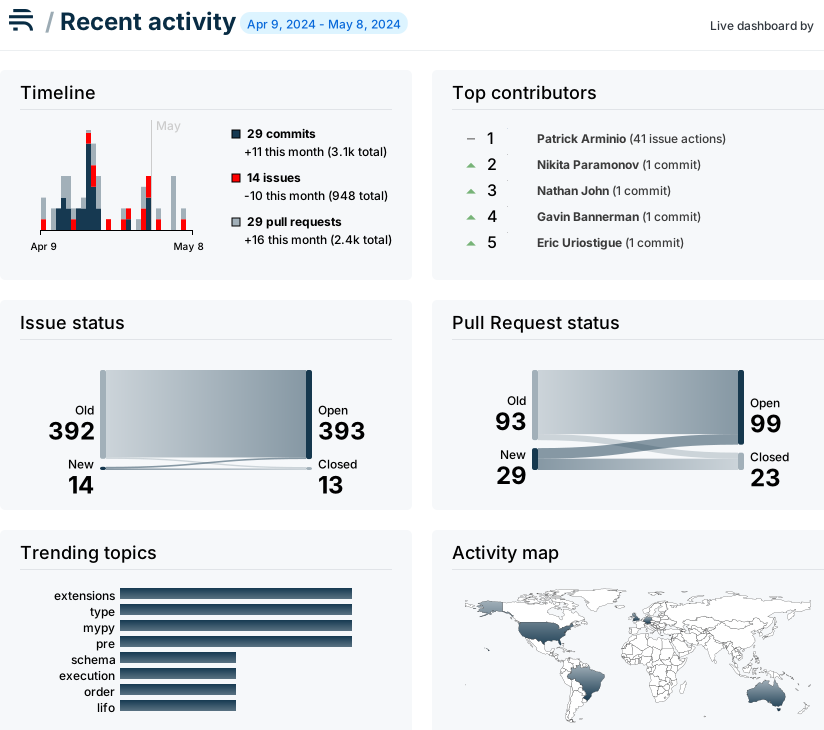
| text/markdown | Patrick Arminio | patrick.arminio@gmail.com | null | null | MIT | graphql, api, rest, starlette, async | [
"Development Status :: 5 - Production/Stable",
"Intended Audience :: Developers",
"Topic :: Software Development :: Libraries",
"Topic :: Software Development :: Libraries :: Python Modules",
"License :: OSI Approved :: MIT License"
] | [] | null | null | <4.0,>=3.10 | [] | [] | [] | [
"Django>=3.2; extra == \"django\"",
"aiohttp<4,>=3.7.4.post0; extra == \"aiohttp\"",
"asgiref>=3.2; extra == \"channels\"",
"asgiref>=3.2; extra == \"django\"",
"chalice>=1.22; extra == \"chalice\"",
"channels>=3.0.5; extra == \"channels\"",
"cross-web>=0.4.0",
"fastapi>=0.65.2; extra == \"fastapi\"",
"flask>=1.1; extra == \"flask\"",
"graphql-core<3.4.0,>=3.2.0",
"libcst; extra == \"cli\"",
"libcst; extra == \"debug\"",
"litestar>=2; python_version ~= \"3.10\" and extra == \"litestar\"",
"opentelemetry-api<2; extra == \"opentelemetry\"",
"opentelemetry-sdk<2; extra == \"opentelemetry\"",
"packaging>=23",
"pydantic>1.6.1; extra == \"pydantic\"",
"pygments>=2.3; extra == \"cli\"",
"pyinstrument>=4.0.0; extra == \"pyinstrument\"",
"python-dateutil>=2.7",
"python-multipart>=0.0.7; extra == \"asgi\"",
"python-multipart>=0.0.7; extra == \"cli\"",
"python-multipart>=0.0.7; extra == \"fastapi\"",
"quart>=0.19.3; extra == \"quart\"",
"rich>=12.0.0; extra == \"cli\"",
"rich>=12.0.0; extra == \"debug\"",
"sanic>=20.12.2; extra == \"sanic\"",
"starlette>=0.18.0; extra == \"asgi\"",
"starlette>=0.18.0; extra == \"cli\"",
"typer>=0.12.4; extra == \"cli\"",
"typing-extensions>=4.5.0",
"uvicorn>=0.11.6; extra == \"cli\"",
"websockets<16,>=15.0.1; extra == \"cli\""
] | [] | [] | [] | [
"Changelog, https://strawberry.rocks/changelog",
"Documentation, https://strawberry.rocks/",
"Discord, https://discord.com/invite/3uQ2PaY",
"Homepage, https://strawberry.rocks/",
"Mastodon, https://farbun.social/@strawberry",
"Repository, https://github.com/strawberry-graphql/strawberry",
"Sponsor on GitHub, https://github.com/sponsors/strawberry-graphql",
"Sponsor on Open Collective, https://opencollective.com/strawberry-graphql",
"Twitter, https://twitter.com/strawberry_gql"
] | poetry/2.3.2 CPython/3.10.19 Linux/6.11.0-1018-azure | 2026-02-21T11:06:49.095000 | strawberry_graphql-0.300.0-py3-none-any.whl | 313,800 | 81/98/f9ec64f5d6b74b04ebd567d7cfcc4152901aa2772e302f35071caa4f3f22/strawberry_graphql-0.300.0-py3-none-any.whl | py3 | bdist_wheel | null | false | b978519b4793cba0d2135c372cbdb1e5 | 5a3c6f754219152446f933a6f9a9f0e6783aab5c3a568aff63a7f869ae81e18b | 8198f9ec64f5d6b74b04ebd567d7cfcc4152901aa2772e302f35071caa4f3f22 | null | [
"LICENSE"
] | 3,393 |
2.4 | idun-agent-engine | 0.4.5 | Python SDK and runtime to serve AI agents with FastAPI, LangGraph, and observability. | # Idun Agent Engine
Turn any LangGraph-based agent into a production-grade API in minutes.
Idun Agent Engine is a lightweight runtime and SDK that wraps your agent with a FastAPI server, adds streaming, structured responses, config validation, and optional observability — with zero boilerplate. Use a YAML file or a fluent builder to configure and run.
## Installation
```bash
pip install idun-agent-engine
```
- Requires Python 3.12+
- Ships with FastAPI, Uvicorn, LangGraph, SQLite checkpointing, and optional observability hooks
## Quickstart
### 1) Minimal one-liner (from a YAML config)
```python
from idun_agent_engine.core.server_runner import run_server_from_config
run_server_from_config("config.yaml")
```
Example `config.yaml`:
```yaml
server:
api:
port: 8000
agent:
type: "langgraph"
config:
name: "My Example LangGraph Agent"
graph_definition: "./examples/01_basic_config_file/example_agent.py:app"
# Optional: conversation persistence
checkpointer:
type: "sqlite"
db_url: "sqlite:///example_checkpoint.db"
# Optional: provider-agnostic observability
observability:
provider: langfuse # or phoenix
enabled: true
options:
host: ${LANGFUSE_HOST}
public_key: ${LANGFUSE_PUBLIC_KEY}
secret_key: ${LANGFUSE_SECRET_KEY}
run_name: "idun-langgraph-run"
```
Run and open docs at `http://localhost:8000/docs`.
### 2) Programmatic setup with the fluent builder
```python
from pathlib import Path
from idun_agent_engine import ConfigBuilder, create_app, run_server
config = (
ConfigBuilder()
.with_api_port(8000)
.with_langgraph_agent(
name="Programmatic Example Agent",
graph_definition=str(Path("./examples/02_programmatic_config/smart_agent.py:app")),
sqlite_checkpointer="programmatic_example.db",
)
.build()
)
app = create_app(engine_config=config)
run_server(app, reload=True)
```
## Endpoints
All servers expose these by default:
- POST `/agent/invoke`: single request/response
- POST `/agent/stream`: server-sent events stream of `ag-ui` protocol events
- GET `/health`: service health with engine version
- GET `/`: root landing with links
Invoke example:
```bash
curl -X POST "http://localhost:8000/agent/invoke" \
-H "Content-Type: application/json" \
-d '{"query": "Hello!", "session_id": "user-123"}'
```
Stream example:
```bash
curl -N -X POST "http://localhost:8000/agent/stream" \
-H "Content-Type: application/json" \
-d '{"query": "Tell me a story", "session_id": "user-123"}'
```
## LangGraph integration
Point the engine to a `StateGraph` variable in your file using `graph_definition`:
```python
# examples/01_basic_config_file/example_agent.py
import operator
from typing import Annotated, TypedDict
from langgraph.graph import END, StateGraph
class AgentState(TypedDict):
messages: Annotated[list, operator.add]
def greeting_node(state):
user_message = state["messages"][-1] if state["messages"] else ""
return {"messages": [("ai", f"Hello! You said: '{user_message}'")]}
graph = StateGraph(AgentState)
graph.add_node("greet", greeting_node)
graph.set_entry_point("greet")
graph.add_edge("greet", END)
# This variable name is referenced by graph_definition
app = graph
```
Then reference it in config:
```yaml
agent:
type: "langgraph"
config:
graph_definition: "./examples/01_basic_config_file/example_agent.py:app"
```
Behind the scenes, the engine:
- Validates config with Pydantic models
- Loads your `StateGraph` from disk
- Optionally wires a SQLite checkpointer via `langgraph.checkpoint.sqlite`
- Exposes `invoke` and `stream` endpoints
- Bridges LangGraph events to `ag-ui` stream events
## Observability (optional)
Enable provider-agnostic observability via the `observability` block in your agent config. Today supports Langfuse and Arize Phoenix (OpenInference) patterns; more coming soon.
```yaml
agent:
type: "langgraph"
config:
observability:
provider: langfuse # or phoenix
enabled: true
options:
host: ${LANGFUSE_HOST}
public_key: ${LANGFUSE_PUBLIC_KEY}
secret_key: ${LANGFUSE_SECRET_KEY}
run_name: "idun-langgraph-run"
```
## Configuration reference
- `server.api.port` (int): HTTP port (default 8000)
- `agent.type` (enum): currently `langgraph` (CrewAI placeholder exists but not implemented)
- `agent.config.name` (str): human-readable name
- `agent.config.graph_definition` (str): absolute or relative `path/to/file.py:variable`
- `agent.config.checkpointer` (sqlite): `{ type: "sqlite", db_url: "sqlite:///file.db" }`
- `agent.config.observability` (optional): provider options as shown above
- `mcp_servers` (list, optional): collection of MCP servers that should be available to your agent runtime. Each entry matches the fields supported by `langchain-mcp-adapters` (name, transport, url/command, headers, etc.).
Config can be sourced by:
- `engine_config` (preferred): pass a validated `EngineConfig` to `create_app`
- `config_dict`: dict validated at runtime
- `config_path`: path to YAML; defaults to `config.yaml`
### MCP Servers
You can mount MCP servers directly in your engine config. The engine will automatically
create a `MultiServerMCPClient` and expose it on `app.state.mcp_registry`.
```yaml
mcp_servers:
- name: "math"
transport: "stdio"
command: "python"
args:
- "/path/to/math_server.py"
- name: "weather"
transport: "streamable_http"
url: "http://localhost:8000/mcp"
```
Inside your FastAPI dependencies or handlers:
```python
from idun_agent_engine.server.dependencies import get_mcp_registry
@router.get("/mcp/{server}/tools")
async def list_tools(server: str, registry = Depends(get_mcp_registry)):
return await registry.get_tools(server)
```
Or outside of FastAPI:
```python
from langchain_mcp_adapters.tools import load_mcp_tools
registry = app.state.mcp_registry
async with registry.get_session("math") as session:
tools = await load_mcp_tools(session)
```
## Examples
The `examples/` folder contains complete projects:
- `01_basic_config_file`: YAML config + simple agent
- `02_programmatic_config`: `ConfigBuilder` usage and advanced flows
- `03_minimal_setup`: one-line server from config
Run any example with Python 3.13 installed.
## CLI and runtime helpers
Top-level imports for convenience:
```python
from idun_agent_engine import (
create_app,
run_server,
run_server_from_config,
run_server_from_builder,
ConfigBuilder,
)
```
- `create_app(...)` builds the FastAPI app and registers routes
- `run_server(app, ...)` runs with Uvicorn
- `run_server_from_config(path, ...)` loads config, builds app, and runs
- `run_server_from_builder(builder, ...)` builds from a builder and runs
## Production notes
- Use a process manager (e.g., multiple Uvicorn workers behind a gateway). Note: `reload=True` is for development and incompatible with multi-worker mode.
- Mount behind a reverse proxy and enable TLS where appropriate.
- Persist conversations using the SQLite checkpointer in production or replace with a custom checkpointer when available.
## Roadmap
- CrewAI adapter (placeholder exists, not yet implemented)
- Additional stores and checkpointers
- First-class CLI for `idun` commands
## Contributing
Issues and PRs are welcome. See the repository:
- Repo: `https://github.com/Idun-Group/idun-agent-platform`
- Package path: `libs/idun_agent_engine`
- Open an issue: `https://github.com/Idun-Group/idun-agent-platform/issues`
Run locally:
```bash
cd libs/idun_agent_engine
poetry install
poetry run pytest -q
```
## License
MIT — see `LICENSE` in the repo root.
| text/markdown | null | Geoffrey HARRAZI <geoffreyharrazi@gmail.com> | null | null | null | agents, fastapi, langgraph, llm, observability, sdk | [
"Framework :: FastAPI",
"Intended Audience :: Developers",
"License :: OSI Approved :: GNU General Public License v3 (GPLv3)",
"Programming Language :: Python :: 3",
"Programming Language :: Python :: 3 :: Only",
"Programming Language :: Python :: 3.12",
"Programming Language :: Python :: 3.13",
"Topic :: Software Development :: Libraries",
"Typing :: Typed"
] | [] | null | null | <3.14,>=3.12 | [] | [] | [] | [
"ag-ui-adk<0.4.0,>=0.3.4",
"ag-ui-langgraph<0.1.0,>=0.0.20",
"ag-ui-protocol<0.2.0,>=0.1.8",
"aiosqlite<0.22.0,>=0.21.0",
"arize-phoenix-otel<1.0.0,>=0.2.0",
"arize-phoenix<12.0.0,>=11.22.0",
"click>=8.2.0",
"copilotkit<0.2.0,>=0.1.72",
"deepagents<1.0.0,>=0.2.8",
"fastapi<0.116.0,>=0.115.0",
"google-adk<2.0.0,>=1.19.0",
"google-cloud-logging<4.0.0,>=3.10.0",
"guardrails-ai<0.8.0,>=0.7.2",
"httpx<0.29.0,>=0.28.1",
"idun-agent-schema<1.0.0,>=0.3.8",
"langchain-core<2.0.0,>=1.0.0",
"langchain-google-vertexai<4.0.0,>=2.0.27",
"langchain-mcp-adapters<0.3.0,>=0.2.0",
"langchain<2.0.0,>=1.0.0",
"langfuse-haystack>=2.3.0",
"langfuse<4.0.0,>=2.60.8",
"langgraph-checkpoint-postgres<4.0.0,>=3.0.0",
"langgraph-checkpoint-sqlite<4.0.0,>=3.0.0",
"langgraph<2.0.0,>=1.0.0",
"mcp<2.0.0,>=1.0.0",
"openinference-instrumentation-google-adk<1.0.0,>=0.1.0",
"openinference-instrumentation-guardrails<1.0.0,>=0.1.0",
"openinference-instrumentation-langchain<1.0.0,>=0.1.13",
"openinference-instrumentation-mcp<2.0.0,>=1.0.0",
"openinference-instrumentation-vertexai<1.0.0,>=0.1.0",
"opentelemetry-exporter-gcp-trace<2.0.0,>=1.6.0",
"opentelemetry-exporter-otlp-proto-http<2.0.0,>=1.22.0",
"platformdirs<5.0.0,>=4.0.0",
"posthog<8.0.0,>=7.0.0",
"psycopg-binary<4.0.0,>=3.3.0",
"pydantic<3.0.0,>=2.11.7",
"python-dotenv>=1.1.1",
"pyyaml<7.0.0,>=6.0.0",
"sqlalchemy<3.0.0,>=2.0.36",
"streamlit<2.0.0,>=1.47.1",
"tavily-python<0.8.0,>=0.7.9",
"textual<7.4.0,>=7.3.0",
"uvicorn<0.36.0,>=0.35.0"
] | [] | [] | [] | [
"Homepage, https://github.com/geoffreyharrazi/idun-agent-platform",
"Repository, https://github.com/geoffreyharrazi/idun-agent-platform",
"Documentation, https://github.com/geoffreyharrazi/idun-agent-platform/tree/main/libs/idun_agent_engine",
"Issues, https://github.com/geoffreyharrazi/idun-agent-platform/issues"
] | twine/6.1.0 CPython/3.13.7 | 2026-02-21T11:05:39.772000 | idun_agent_engine-0.4.5.tar.gz | 67,894 | b9/6a/fcd836c3445fecf02c4374e108ae3faa01763129932f50958798174d8b58/idun_agent_engine-0.4.5.tar.gz | source | sdist | null | false | be0fb0d1c86c31098ced6f24f5168174 | d934975d845cdc43a00b7289ca16eb97a401de949fa4419d205745f899fa262a | b96afcd836c3445fecf02c4374e108ae3faa01763129932f50958798174d8b58 | GPL-3.0-only | [] | 250 |
2.4 | heal | 0.1.3 | A Python package for healing and wellness | # Heal
A Python package for fixing shell errors using LLM assistance.
## Installation
```bash
pip install heal
```
## Quick Start
### Basic Usage (with pipe)
```bash
# Fix errors by piping stderr to heal
make dev 2>&1 | heal fix
# Or from error file
heal fix < error.txt
```
### Automatic Mode (with shell hook)
```bash
# Install shell hook for automatic error capture
heal install
# Add to ~/.bashrc:
source ~/.heal/heal.bash
# Now you can run:
your_failing_command
heal fix
```
## Features
- **LLM-powered error analysis** - Uses GPT models to understand and fix shell errors
- **Automatic command capture** - Shell hook captures last command and output
- **Multiple input methods** - Works with stdin, files, or shell hooks
- **Configurable models** - Support for various LLM providers via litellm
## Commands
### `heal fix`
Fix shell errors using LLM. Reads from stdin or shell hook.
```bash
heal fix [--model MODEL] [--api-key KEY]
```
### `heal install`
Install shell hook for automatic error capture.
```bash
heal install
```
### `heal uninstall`
Remove shell hook and configuration.
```bash
heal uninstall
```
## Configuration
On first run, heal will prompt for:
- API key (for your LLM provider)
- Model name (e.g., `gpt-4o-mini`, `gpt-4.1`)
Configuration is stored in `~/.heal/.env`.
## Examples
### Fix a make error
```bash
make dev 2>&1 | heal fix
```
### Fix a Python error
```bash
python script.py 2>&1 | heal fix
```
### Fix from error log
```bash
heal fix < application.log
```
## Development
This package uses modern Python packaging with `pyproject.toml`.
### Install in development mode
```bash
pip install -e .
```
### Run tests
```bash
python -m pytest
```
## How it works
1. **Command capture**: Gets last command from bash history or shell hook
2. **Error collection**: Reads error output from stdin or captured file
3. **LLM analysis**: Sends command and error to LLM for analysis
4. **Solution proposal**: Returns concrete fix suggestions
## Limitations
- Shell processes cannot access previous process stderr without pipes
- Shell hook required for fully automatic operation
- Requires API key for LLM service
## License
Apache License 2.0 - see [LICENSE](LICENSE) for details.
## Author
Created by **Tom Sapletta** - [tom@sapletta.com](mailto:tom@sapletta.com)
## Contributing
Contributions are welcome! Please feel free to submit a Pull Request.
| text/markdown | null | Tom Sapletta <tom@sapletta.com> | null | null | null | health, wellness, healing, llm, shell, fix | [
"Development Status :: 3 - Alpha",
"Intended Audience :: Developers",
"Programming Language :: Python :: 3",
"Programming Language :: Python :: 3.8",
"Programming Language :: Python :: 3.9",
"Programming Language :: Python :: 3.10",
"Programming Language :: Python :: 3.11",
"Programming Language :: Python :: 3.12"
] | [] | null | null | >=3.8 | [] | [] | [] | [
"litellm>=1.0.0",
"python-dotenv>=1.0.0",
"click>=8.0.0",
"pytest>=7.0.0; extra == \"dev\"",
"pytest-cov>=4.0.0; extra == \"dev\"",
"black>=23.0.0; extra == \"dev\"",
"isort>=5.0.0; extra == \"dev\"",
"flake8>=6.0.0; extra == \"dev\"",
"mypy>=1.0.0; extra == \"dev\"",
"build>=0.10.0; extra == \"dev\"",
"twine>=4.0.0; extra == \"dev\""
] | [] | [] | [] | [
"Homepage, https://github.com/yourusername/heal",
"Repository, https://github.com/yourusername/heal",
"Issues, https://github.com/yourusername/heal/issues"
] | twine/6.2.0 CPython/3.13.7 | 2026-02-21T11:05:33.240000 | heal-0.1.3-py3-none-any.whl | 9,832 | b8/de/d31325497e21e38ee136810b47369c0d0c13fd20240d52eb5853f06947d8/heal-0.1.3-py3-none-any.whl | py3 | bdist_wheel | null | false | e61a3f9602c95570dfd509cd64656c85 | 487c4cb2edc955893cea5e7ac336326ebd19893c28456c237c08eb8d0d86596c | b8ded31325497e21e38ee136810b47369c0d0c13fd20240d52eb5853f06947d8 | Apache-2.0 | [
"LICENSE"
] | 87 |
2.4 | nowfycore | 1.0.9 | Nowfy core runtime package (pure layer) | # nowfycore
Pure Python core runtime for Nowfy.
## Local build
```bash
python -m build packages/nowfycore
```
Artifacts:
- `packages/nowfycore/dist/nowfycore-1.0.2-py3-none-any.whl`
- `packages/nowfycore/dist/nowfycore-1.0.2.tar.gz`
## Release helper
```bash
python packages/nowfycore/scripts/release_nowfycore.py
python packages/nowfycore/scripts/release_nowfycore.py --upload --repository pypi
```
Optional:
- `--repository testpypi`
- `--skip-existing`
## Runtime usage in Nowfy plugin
`nowfy.plugin` uses:
```python
__requirements__ = ["nowfycore>=1.0.2"]
```
So only `nowfy.plugin` needs to be installed by the user; core runtime is resolved through requirements.
| text/markdown | AGeekApple | null | null | null | null | null | [] | [] | null | null | >=3.8 | [] | [] | [] | [
"requests",
"yt-dlp",
"ytmusicapi"
] | [] | [] | [] | [] | twine/6.2.0 CPython/3.13.7 | 2026-02-21T11:05:25.843000 | nowfycore-1.0.9.tar.gz | 155,750 | 37/2e/da5a9714aad790bf6c938865828572bfa3e289f9dbf97b21548cdfeeef69/nowfycore-1.0.9.tar.gz | source | sdist | null | false | 810a7ad407399651807120e03e591979 | 25f9bbb6bac130858b77a042ab8860cc257532a4b06900fe479dd81246520531 | 372eda5a9714aad790bf6c938865828572bfa3e289f9dbf97b21548cdfeeef69 | null | [] | 231 |
2.4 | mb-pomodoro | 0.0.1 | macOS Pomodoro timer with a CLI-first workflow | # mb-pomodoro
macOS-focused Pomodoro timer with a CLI-first workflow. Work intervals only — no break timers.
- CLI is the primary interface.
- Optional GUI integrations (tray icon, Raycast extension) invoke CLI commands as subprocesses with `--json`.
- Persistent state and history in SQLite.
- Background worker process tracks interval completion and sends macOS notifications.
## Timer Algorithm
### Interval Statuses
An interval has one of seven statuses:
| Status | Meaning |
|---|---|
| `running` | Timer is actively counting. Worker is polling. |
| `paused` | Timer is suspended by the user. Worker is not running. |
| `interrupted` | Timer was forcibly stopped by a crash. Worker is not running. |
| `finished` | Full duration elapsed. Awaiting user resolution. |
| `completed` | User confirmed honest work was done. Terminal. |
| `abandoned` | User indicated they did not work. Terminal. |
| `cancelled` | User cancelled before duration elapsed. Terminal. |
### State Transitions
```
+-----------+
start ------> | running | <--- resume (paused, interrupted)
+-----------+
/ | | \
pause / | | \ cancel
v | | v
+---------+ | | +-----------+
| paused | | | | cancelled |
+---------+ | | +-----------+
| | | ^
cancel +--------+-------+------+
| |
crash | | auto-finish
recovery | |
v v
+-------------+ +-----------+
| interrupted | | finished |
+-------------+ +-----------+
/ \
finish/ \finish
v v
+-----------+ +-----------+
| completed | | abandoned |
+-----------+ +-----------+
```
Simplified summary:
- `running` -> `paused` (pause), `finished` (auto-finish by worker), `cancelled` (cancel), `interrupted` (crash recovery)
- `paused` -> `running` (resume), `cancelled` (cancel)
- `interrupted` -> `running` (resume), `cancelled` (cancel)
- `finished` -> `completed` (finish completed), `abandoned` (finish abandoned)
- `completed`, `abandoned`, `cancelled` — terminal, no further transitions.
### Time Accounting
Three fields track work time:
- **`worked_sec`** — accumulated completed running time (updated on pause, cancel, auto-finish).
- **`run_started_at`** — timestamp when the current running segment began. `NULL` when not running.
- **`heartbeat_at`** — last worker heartbeat timestamp (~10s interval). Used by crash recovery to credit worked time. `NULL` when not running.
**Effective worked time** (used in status, history, and completion checks):
- If `running`: `worked_sec + (now - run_started_at)`
- Otherwise: `worked_sec`
This design avoids updating the database every second. Only state transitions and periodic heartbeats (~10s) write to the DB.
### Auto-Finish (Timer Worker)
The timer worker is a background process spawned by `start` and `resume`. It polls the database every ~1 second:
1. Fetch the interval row. Exit if status is no longer `running`.
2. Compute effective worked time.
3. When `effective_worked >= duration_sec`:
- Set `status=finished`, `worked_sec=duration_sec`, `ended_at=now`, `run_started_at=NULL`.
- Show a macOS dialog (AppleScript) with "Completed" / "Abandoned" buttons (5-minute timeout).
- If user responds: set `status=<choice>` (`completed` or `abandoned`).
- If dialog times out or fails: interval stays `finished` — user resolves via `finish` command.
- Exit worker.
Worker lifecycle:
- Tracked via PID file at `~/.local/mb-pomodoro/timer_worker.pid`.
- Spawned as a detached process (`start_new_session=True`).
- Exits when: interval is no longer running, completion is detected, or an error occurs.
- PID file is removed on exit.
### Crash Recovery
The timer worker writes a heartbeat timestamp (`heartbeat_at`) to the database every ~10 seconds. This enables work time recovery after crashes.
On every CLI command, before executing, the system checks for stale intervals:
1. Fetch the latest interval.
2. If `status=running` but the worker process is not alive:
- Credit worked time from the last heartbeat: `worked_sec += heartbeat_at - run_started_at` (capped at `duration_sec`).
- Mark as `interrupted`, clear `run_started_at` and `heartbeat_at`.
- Insert an `interrupted` event.
- Remove stale PID file.
3. User must explicitly run `resume` to continue.
Worker liveness check: PID file exists + process is alive (`kill -0`) + process command contains "python" (`ps -p <pid> -o comm=`).
**Limitation**: work time between the last heartbeat and the crash is lost — at most ~10 seconds. If no heartbeat was written (crash within the first few seconds), the current run segment is lost entirely.
### Concurrency
CLI and timer worker may race on writes (e.g., `pause` vs auto-finish). Both use conditional `UPDATE ... WHERE status = 'running'` inside transactions. SQLite serializes these — only one succeeds (`rowcount = 1`), the other gets `rowcount = 0` and handles accordingly.
At most one active interval exists at any time, enforced by a partial unique index.
## Database
Storage engine: SQLite in STRICT mode. Database file: `~/.local/mb-pomodoro/pomodoro.db`.
### Connection Setup
Every connection sets these PRAGMAs before any queries:
```sql
PRAGMA journal_mode = WAL; -- concurrent CLI + worker access without reader/writer blocking
PRAGMA busy_timeout = 5000; -- retry on SQLITE_BUSY instead of failing immediately
PRAGMA foreign_keys = ON; -- enforce foreign key constraints
```
### Schema Migrations
Schema changes are managed via SQLite's built-in `PRAGMA user_version`. Each migration is a Python function in `db.py`, indexed sequentially. On every connection, the app compares the DB's `user_version` to the target version and runs any pending migrations automatically. All migrations are idempotent — safe to re-run.
### Table: `intervals`
One row per work interval. Source of truth for current state.
```sql
CREATE TABLE intervals (
id TEXT PRIMARY KEY, -- UUID
duration_sec INTEGER NOT NULL, -- requested duration in seconds
status TEXT NOT NULL -- current lifecycle status
CHECK(status IN ('running','paused','finished','completed','abandoned','cancelled','interrupted')),
started_at INTEGER NOT NULL, -- initial start time (unix seconds)
ended_at INTEGER, -- set when finished/cancelled (unix seconds)
worked_sec INTEGER NOT NULL DEFAULT 0, -- accumulated active work time (seconds)
run_started_at INTEGER, -- current run segment start (unix seconds), NULL when not running
heartbeat_at INTEGER -- last worker heartbeat (unix seconds), NULL when not running
) STRICT;
```
| Column | Description |
|---|---|
| `id` | UUID v4, assigned on `start`. |
| `duration_sec` | Requested interval length in seconds (e.g., 1500 for 25 minutes). |
| `status` | Current lifecycle status. See [Interval Statuses](#interval-statuses). |
| `started_at` | Unix timestamp when the interval was first created. Never changes. |
| `ended_at` | Unix timestamp when the interval ended (timer elapsed or cancelled). `NULL` while running/paused. |
| `worked_sec` | Total seconds of actual work. Updated on pause, cancel, and auto-finish. Excludes paused time. |
| `run_started_at` | Unix timestamp of the current running segment's start. Set on `start` and `resume`, cleared (`NULL`) on `pause`, `cancel`, `finish`, and crash recovery. |
| `heartbeat_at` | Unix timestamp of the last worker heartbeat (~10s interval). Used by crash recovery to credit worked time. Cleared on `pause`, `cancel`, `finish`, and crash recovery. |
### Table: `interval_events`
Append-only audit log. One row per state transition.
```sql
CREATE TABLE interval_events (
id INTEGER PRIMARY KEY AUTOINCREMENT,
interval_id TEXT NOT NULL REFERENCES intervals(id),
event_type TEXT NOT NULL
CHECK(event_type IN ('started','paused','resumed','finished','completed','abandoned','cancelled','interrupted')),
event_at INTEGER NOT NULL -- event time (unix seconds)
) STRICT;
```
Event types map to state transitions:
| Event Type | Trigger |
|---|---|
| `started` | `start` command creates a new interval. |
| `paused` | `pause` command suspends a running interval. |
| `resumed` | `resume` command continues a paused interval. |
| `finished` | Timer worker detects duration elapsed. |
| `completed` | User resolves finished interval as honest work (dialog or `finish` command). |
| `abandoned` | User resolves finished interval as not-worked (dialog or `finish` command). |
| `cancelled` | `cancel` command terminates an active interval. |
| `interrupted` | Crash recovery detects a running interval with a dead worker. |
### Indexes
```sql
-- Enforce at most one active (non-terminal) interval at any time.
-- Prevents concurrent start commands from creating duplicates.
CREATE UNIQUE INDEX idx_one_active
ON intervals((1)) WHERE status IN ('running','paused','finished','interrupted');
-- Fast event lookup by interval, ordered by time.
CREATE INDEX idx_events_interval_at
ON interval_events(interval_id, event_at);
-- Fast history queries (most recent first).
CREATE INDEX idx_intervals_started_desc
ON intervals(started_at DESC);
```
## CLI Commands
All commands support the `--json` flag for machine-readable output.
### Global Options
| Option | Description |
|---|---|
| `--version` | Print version and exit. |
| `--json` | Output results as JSON envelopes. |
| `--data-dir PATH` | Override data directory (default: `~/.local/mb-pomodoro`). Env: `MB_POMODORO_DATA_DIR`. Each directory is an independent instance with its own DB and worker, allowing multiple timers to run simultaneously. |
### `start [duration]`
Start a new work interval.
- `duration` — optional. Formats: `25` (minutes), `25m`, `90s`, `10m30s`. Default: 25 minutes (configurable via `config.toml`).
- Fails if an active interval (running, paused, or finished) already exists.
- Spawns a background timer worker to track completion.
```
$ mb-pomodoro start
Pomodoro started: 25:00.
$ mb-pomodoro start 45
Pomodoro started: 45:00.
$ mb-pomodoro start 10m30s
Pomodoro started: 10:30.
```
### `pause`
Pause the running interval.
- Only valid when status is `running`.
- Accumulates elapsed work time into `worked_sec`, clears `run_started_at`.
- Timer worker exits (no polling while paused).
```
$ mb-pomodoro pause
Paused. Worked: 12:30, left: 12:30.
```
### `resume`
Resume a paused or interrupted interval.
- Only valid when status is `paused` or `interrupted`.
- Sets `run_started_at` to current time, spawns a new timer worker.
```
$ mb-pomodoro resume
Resumed. Worked: 12:30, left: 12:30.
```
### `cancel`
Cancel the active interval.
- Valid from `running`, `paused`, or `interrupted`.
- If running, accumulates the current work segment before cancelling.
```
$ mb-pomodoro cancel
Cancelled. Worked: 08:15.
```
### `finish <resolution>`
Manually resolve a finished interval. Fallback for when the macOS completion dialog was missed or timed out.
- `resolution` — required: `completed` (honest work) or `abandoned` (did not work).
- Only valid when status is `finished`.
```
$ mb-pomodoro finish completed
Interval marked as completed. Worked: 25:00.
```
### `status`
Show current timer status.
```
$ mb-pomodoro status
Status: running
Duration: 25:00
Worked: 12:30
Left: 12:30
$ mb-pomodoro status
No active interval.
```
### `history [--limit N]`
Show recent intervals. Default limit: 10.
```
$ mb-pomodoro history -n 5
Date Duration Worked Status
---------------- -------- -------- ---------
2026-02-17 14:00 25:00 25:00 completed
2026-02-17 10:30 25:00 15:20 cancelled
2026-02-16 09:00 45:00 45:00 abandoned
```
## Configuration
Optional config file at `~/.local/mb-pomodoro/config.toml`:
```toml
[timer]
default_duration = "25" # same formats as CLI: "25", "25m", "90s", "10m30s"
```
### Data Directory
Default: `~/.local/mb-pomodoro`. Contents:
| File | Purpose |
|---|---|
| `pomodoro.db` | SQLite database (intervals + events). |
| `timer_worker.pid` | PID of the active timer worker. Exists only while a worker is running. |
| `pomodoro.log` | Rotating log file (1 MB max, 3 backups). |
| `config.toml` | Optional configuration. |
Override with `--data-dir` flag or `MB_POMODORO_DATA_DIR` env variable to run multiple independent instances.
## JSON Output Format
All commands support `--json` for machine-readable output. Envelope:
- Success: `{"ok": true, "data": {<command-specific>}}`
- Error: `{"ok": false, "error": "<error_code>", "message": "<human-readable>"}`
Error codes: `INVALID_DURATION`, `ACTIVE_INTERVAL_EXISTS`, `NOT_RUNNING`, `NOT_RESUMABLE`, `NO_ACTIVE_INTERVAL`, `NOT_FINISHED`, `INVALID_RESOLUTION`, `CONCURRENT_MODIFICATION`.
| text/markdown | mcbarinov | null | null | null | null | cli, macos, pomodoro, productivity, timer | [
"Operating System :: MacOS",
"Topic :: Utilities"
] | [] | null | null | >=3.14 | [] | [] | [] | [
"mm-pymac~=0.0.1",
"pydantic~=2.12.5",
"typer~=0.24.0"
] | [] | [] | [] | [
"Homepage, https://github.com/mcbarinov/mb-pomodoro",
"Repository, https://github.com/mcbarinov/mb-pomodoro"
] | uv/0.10.4 {"installer":{"name":"uv","version":"0.10.4","subcommand":["publish"]},"python":null,"implementation":{"name":null,"version":null},"distro":{"name":"macOS","version":null,"id":null,"libc":null},"system":{"name":null,"release":null},"cpu":null,"openssl_version":null,"setuptools_version":null,"rustc_version":null,"ci":null} | 2026-02-21T11:05:12.543000 | mb_pomodoro-0.0.1.tar.gz | 20,700 | d3/46/a9baa876a58e3a6f3a4adac800fa3ce7c0199a9de99522649714f11fd5b3/mb_pomodoro-0.0.1.tar.gz | source | sdist | null | false | 51b56723d0440dda77314b77a2fb37fb | f32be738c6b349494c0c18ec8ee0945ff46870033051bfac7800d5a5e7f140c0 | d346a9baa876a58e3a6f3a4adac800fa3ce7c0199a9de99522649714f11fd5b3 | MIT | [
"LICENSE"
] | 266 |
2.4 | idun-agent-schema | 0.4.5 | Centralized Pydantic schema library for Idun Agent Engine and Manager | # Idun Agent Schema
Centralized Pydantic schema library shared by Idun Agent Engine and Idun Agent Manager.
## Install
```bash
pip install idun-agent-schema
```
## Usage
```python
from idun_agent_schema.engine import EngineConfig
from idun_agent_schema.manager.api import AgentCreateRequest
```
This package re-exports stable schema namespaces to avoid breaking existing imports. Prefer importing from this package directly going forward.
| text/markdown | null | Idun Group <contact@idun-group.com> | null | null | null | fastapi, idun, langgraph, pydantic, schemas | [
"License :: OSI Approved :: GNU General Public License v3 (GPLv3)",
"Programming Language :: Python :: 3",
"Programming Language :: Python :: 3 :: Only",
"Programming Language :: Python :: 3.12",
"Programming Language :: Python :: 3.13",
"Typing :: Typed"
] | [] | null | null | <3.14,>=3.12 | [] | [] | [] | [
"pydantic-settings<3.0.0,>=2.7.0",
"pydantic<3.0.0,>=2.11.7"
] | [] | [] | [] | [
"Homepage, https://github.com/geoffreyharrazi/idun-agent-platform",
"Repository, https://github.com/geoffreyharrazi/idun-agent-platform",
"Issues, https://github.com/geoffreyharrazi/idun-agent-platform/issues"
] | twine/6.1.0 CPython/3.13.7 | 2026-02-21T11:04:47.263000 | idun_agent_schema-0.4.5.tar.gz | 14,369 | 90/6c/66011d1d0bb8b5f2b1eb498872f1a52f1409ef78b886b52a10ffe10fa603/idun_agent_schema-0.4.5.tar.gz | source | sdist | null | false | c84fd8773083ba783ddac736ad9d958f | f093a1881b814b241d99cefc7c45d106e53b9be60cf401387069170b9f70f8e4 | 906c66011d1d0bb8b5f2b1eb498872f1a52f1409ef78b886b52a10ffe10fa603 | GPL-3.0-only | [] | 244 |
2.4 | naked-web | 1.0.0 | The Swiss Army Knife for Web Scraping, Search, and Browser Automation - dual Selenium + Playwright engines under one clean API. | <p align="center">
<h1 align="center">Naked Web</h1>
<p align="center">
<strong>The Swiss Army Knife for Web Scraping, Search, and Browser Automation</strong>
</p>
<p align="center">
<em>Dual-engine power: Selenium + Playwright - unified under one clean API.</em>
</p>
</p>
<p align="center">
<a href="#-installation">Installation</a> •
<a href="#-quick-start">Quick Start</a> •
<a href="#-features-at-a-glance">Features</a> •
<a href="#-scraping-engine-selenium">Selenium</a> •
<a href="#-automation-engine-playwright">Playwright</a> •
<a href="#-google-search-integration">Search</a> •
<a href="#-site-crawler">Crawler</a> •
<a href="#-configuration">Config</a>
</p>
---
## What is Naked Web?
Naked Web is a **production-grade Python toolkit** that combines web scraping, search, and full browser automation into a single cohesive library. It wraps two powerful browser engines - **Selenium** (via undetected-chromedriver) and **Playwright** - so you can pick the right tool for every job without juggling separate libraries.
| Capability | Engine | Use Case |
|---|---|---|
| **HTTP Scraping** | `requests` + `BeautifulSoup` | Fast, lightweight page fetching |
| **JS Rendering** | Selenium (undetected-chromedriver) | Bot-protected sites, stealth scraping |
| **Browser Automation** | Playwright | Click, type, scroll, extract - full control |
| **Google Search** | Google CSE JSON API | Search with optional content enrichment |
| **Site Crawling** | Built-in BFS crawler | Multi-page crawling with depth/duration limits |
---
## Why Naked Web?
- **Two engines, one API** - Selenium for stealth, Playwright for automation. No need to choose.
- **Anti-detection built in** - CDP script injection, mouse simulation, realistic scrolling, profile persistence.
- **Zero-vision automation** - Playwright's `AutoBrowser` indexes every interactive element by number. Click `[3]`, type into `[7]` - no screenshots, no coordinates, no CSS selectors needed.
- **Structured extraction** - Meta tags, headings, paragraphs, inline styles, assets with rich context metadata.
- **HTML pagination** - Line-based and character-based chunking for feeding content to LLMs.
- **Pydantic models everywhere** - Typed, validated, serializable data from every operation.
---
## Installation
```bash
# Core (HTTP scraping, search, content extraction, crawling)
pip install -e .
# + Selenium engine (stealth scraping, JS rendering, bot bypass)
pip install -e ".[selenium]"
# + Playwright engine (browser automation, DOM interaction)
pip install -e ".[automation]"
playwright install chromium
# Everything
pip install -e ".[selenium,automation]"
playwright install chromium
```
**Requirements:** Python 3.9+
**Core dependencies:** `requests`, `beautifulsoup4`, `lxml`, `pydantic`
---
## Features at a Glance
### Scraping & Fetching
- Plain HTTP fetch with `requests` + `BeautifulSoup`
- Selenium JS rendering with undetected-chromedriver
- Enhanced stealth mode (CDP injection, mouse simulation, realistic scrolling)
- Persistent browser profiles for bot detection bypass
- `robots.txt` compliance (optional)
- Configurable timeouts, delays, and user agents
### Browser Automation (Playwright)
- Launch Chromium, Firefox, or WebKit
- Navigate, click, type, scroll, send keyboard shortcuts
- DOM state extraction with indexed interactive elements
- Content extraction as clean Markdown
- Link extraction across the page
- Dropdown selection, screenshots, JavaScript execution
- Multi-tab management (open, switch, close, list)
- Persistent profile support (cookies, localStorage survive sessions)
### Search & Discovery
- Google Custom Search JSON API integration
- Automatic content enrichment per search result
- Optional JS rendering for search result pages
### Content Extraction
- Structured bundles: meta tags, headings, paragraphs, inline styles, CSS/font links
- Asset harvesting: stylesheets, scripts, images, media, fonts, links
- Rich context metadata per asset (alt text, captions, snippets, anchor text, source position)
### Crawling & Analysis
- Breadth-first site crawler with depth, page count, and duration limits
- Configurable crawl delays to avoid rate limiting
- Regex/glob pattern search across crawled page text and HTML
- Asset pattern matching with contextual windows
### Pagination
- Line-based HTML chunking with `next_start` / `has_more` cursors
- Character-based HTML chunking for LLM-sized windows
- Works on both HTML snapshots and raw text
---
## Quick Start
```python
from naked_web import NakedWebConfig, fetch_page
cfg = NakedWebConfig()
# Simple HTTP fetch
snap = fetch_page("https://example.com", cfg=cfg)
print(snap.text[:500])
print(snap.assets.images)
# With Selenium JS rendering
snap = fetch_page("https://example.com", cfg=cfg, use_js=True)
# With full stealth mode (bot-protected sites)
snap = fetch_page("https://example.com", cfg=cfg, use_stealth=True)
```
---
## Scraping Engine (Selenium)
NakedWeb's Selenium integration uses **undetected-chromedriver** with layered anti-detection measures. Perfect for sites like Reddit, LinkedIn, and other bot-protected targets.
### Basic JS Rendering
```python
from naked_web import fetch_page, NakedWebConfig
cfg = NakedWebConfig()
snap = fetch_page("https://reddit.com/r/Python/", cfg=cfg, use_js=True)
print(snap.text[:500])
```
### Stealth Mode
When `use_stealth=True`, NakedWeb activates the full anti-detection suite:
```python
snap = fetch_page("https://reddit.com/r/Python/", cfg=cfg, use_stealth=True)
```
**What stealth mode does:**
| Layer | Technique |
|---|---|
| **CDP Injection** | Masks `navigator.webdriver`, mocks plugins, languages, and permissions |
| **Mouse Simulation** | Random, human-like cursor movements across the viewport |
| **Realistic Scrolling** | Variable-speed scrolling with pauses and occasional scroll-backs |
| **Enhanced Headers** | Proper `Accept-Language`, viewport config, plugin mocking |
| **Profile Persistence** | Reuse cookies, history, and cache across sessions |
### Advanced: Direct Driver Control
```python
from naked_web.utils.stealth import setup_stealth_driver, inject_stealth_scripts
from naked_web import NakedWebConfig
cfg = NakedWebConfig(
selenium_headless=False,
selenium_window_size="1920,1080",
humanize_delay_range=(1.5, 3.5),
)
driver = setup_stealth_driver(cfg, use_profile=False)
try:
driver.get("https://example.com")
html = driver.page_source
finally:
driver.quit()
```
### Stealth Fetch Helper
```python
from naked_web.utils.stealth import fetch_with_stealth
from naked_web import NakedWebConfig
cfg = NakedWebConfig(
selenium_headless=False,
humanize_delay_range=(1.5, 3.5),
)
html, headers, status, final_url = fetch_with_stealth(
"https://www.reddit.com/r/Python/",
cfg=cfg,
perform_mouse_movements=True,
perform_realistic_scrolling=True,
)
print(f"Fetched {len(html)} chars from {final_url}")
```
### Browser Profile Persistence
Fresh browsers are a red flag for bot detectors. NakedWeb supports **persistent browser profiles** so cookies, history, and cache survive across sessions.
**Warm up a profile:**
```bash
# Create a default profile with organic browsing history
python scripts/warmup_profile.py
# Custom profile with longer warm-up
python scripts/warmup_profile.py --profile "profiles/reddit" --duration 3600
```
**Use the warmed profile:**
```python
cfg = NakedWebConfig() # Uses default warmed profile automatically
snap = fetch_page("https://www.reddit.com/r/Python/", cfg=cfg, use_js=True)
```
**Custom profile path:**
```python
cfg = NakedWebConfig(selenium_profile_path="profiles/reddit")
snap = fetch_page("https://www.reddit.com/r/Python/", cfg=cfg, use_js=True)
```
**Profile rotation for heavy workloads:**
```python
import random
from pathlib import Path
profiles = list(Path("profiles").glob("reddit_*"))
cfg = NakedWebConfig(
selenium_profile_path=str(random.choice(profiles)),
crawl_delay_range=(10.0, 30.0),
)
```
> Profiles store cookies, history, localStorage, cache, and more. Keep them secure and don't commit them to version control.
---
## Automation Engine (Playwright)
The `AutoBrowser` class provides **full browser automation** powered by Playwright. It extracts every interactive element on the page and assigns each a numeric index - so you can click, type, and interact without writing CSS selectors or using vision models.
### Launch and Navigate
```python
from naked_web.automation import AutoBrowser
browser = AutoBrowser(headless=True, browser_type="chromium")
browser.launch()
browser.navigate("https://example.com")
```
### DOM State Extraction
Get a structured snapshot of every interactive element on the page:
```python
state = browser.get_state()
print(state.to_text())
```
**Example output:**
```
URL: https://example.com
Title: Example Domain
Scroll: 0% (800px viewport, 1200px total)
Interactive elements (3 total):
[1] a "More information..." -> https://www.iana.org/domains/example
[2] input type="text" placeholder="Search..."
[3] button "Submit"
```
### Interact by Index
```python
browser.click(1) # Click element [1]
browser.type_text(2, "hello world") # Type into element [2]
browser.scroll(direction="down", amount=2) # Scroll down 2 pages
browser.send_keys("Enter") # Press Enter
browser.select_option(4, "Option A") # Select dropdown option
```
### Extract Content
```python
# Page content as clean Markdown
result = browser.extract_content()
print(result.extracted_content)
# All links on the page
links = browser.extract_links()
print(links.extracted_content)
# Take a screenshot
browser.screenshot("page.png")
# Run arbitrary JavaScript
result = browser.evaluate_js("document.title")
print(result.extracted_content)
```
### Multi-Tab Management
```python
browser.new_tab("https://google.com") # Open new tab
tabs = browser.list_tabs() # List all tabs
browser.switch_tab(0) # Switch to first tab
browser.close_tab(1) # Close second tab
```
### Persistent Profiles (Playwright)
Stay logged in across sessions:
```python
browser = AutoBrowser(
headless=False,
user_data_dir="profiles/my_session",
browser_type="chromium",
)
browser.launch()
# Cookies, localStorage, history all persist to disk
browser.navigate("https://example.com")
# ... interact ...
browser.close() # Data flushed to profile directory
```
### Supported Browsers
| Engine | Install Command |
|---|---|
| Chromium | `playwright install chromium` |
| Firefox | `playwright install firefox` |
| WebKit | `playwright install webkit` |
```python
browser = AutoBrowser(browser_type="firefox")
```
### Full AutoBrowser API
| Method | Description |
|---|---|
| `launch()` | Start the browser |
| `close()` | Close browser and clean up |
| `navigate(url)` | Go to a URL |
| `go_back()` | Navigate back in history |
| `get_state(max_elements)` | Extract interactive DOM elements with indices |
| `click(index)` | Click element by index |
| `type_text(index, text, clear)` | Type into an input element |
| `scroll(direction, amount)` | Scroll up/down by pages |
| `send_keys(keys)` | Send keyboard shortcuts |
| `select_option(index, value)` | Select dropdown option |
| `wait(seconds)` | Wait for dynamic content |
| `extract_content()` | Extract page as Markdown |
| `extract_links()` | Extract all page links |
| `screenshot(path)` | Save screenshot to file |
| `evaluate_js(expression)` | Run JavaScript in page |
| `new_tab(url)` | Open a new tab |
| `switch_tab(tab_index)` | Switch to a tab |
| `close_tab(tab_index)` | Close a tab |
| `list_tabs()` | List all open tabs |
---
## Google Search Integration
Search the web via Google Custom Search JSON API with optional page content enrichment:
```python
from naked_web import SearchClient, NakedWebConfig
cfg = NakedWebConfig(
google_api_key="YOUR_KEY",
google_cse_id="YOUR_CSE_ID",
)
client = SearchClient(cfg)
# Basic search
resp = client.search("python web scraping", max_results=5)
for r in resp["results"]:
print(f"{r['title']} - {r['url']}")
# Search + fetch page content for each result
resp = client.search(
"python selenium scraping",
max_results=3,
include_page_content=True,
use_js_for_pages=False,
)
```
Each result contains: `title`, `snippet`, `url`, `score`, and optionally `content`, `status_code`, `final_url`.
---
## Structured Content Extraction
Pull structured data from any fetched page:
```python
from naked_web import fetch_page, extract_content, NakedWebConfig
cfg = NakedWebConfig()
snap = fetch_page("https://example.com", cfg=cfg)
bundle = extract_content(
snap,
include_meta=True,
include_headings=True,
include_paragraphs=True,
include_inline_styles=True,
include_links=True,
)
print(bundle.title)
print(bundle.meta) # List of MetaTag objects
print(bundle.headings) # List of HeadingBlock objects (level + text)
print(bundle.paragraphs) # List of paragraph strings
print(bundle.css_links) # Stylesheet URLs
print(bundle.font_links) # Font URLs
print(bundle.inline_styles) # Raw CSS from <style> tags
```
### One-Shot: Fetch + Extract + Paginate
```python
from naked_web import collect_page
package = collect_page(
"https://example.com",
use_js=True,
include_line_chunks=True,
include_char_chunks=True,
line_chunk_size=250,
char_chunk_size=4000,
pagination_chunk_limit=5,
)
```
---
## Asset Harvesting
Every fetched page comes with a full `PageAssets` breakdown:
```python
snap = fetch_page("https://example.com", cfg=cfg)
snap.assets.stylesheets # CSS file URLs
snap.assets.scripts # JS file URLs
snap.assets.images # Image URLs (including srcset)
snap.assets.media # Video/audio URLs
snap.assets.fonts # Font file URLs (.woff, .woff2, .ttf, etc.)
snap.assets.links # All anchor href URLs
```
Each category also has a `*_details` list with rich `AssetContext` metadata:
```python
for img in snap.assets.image_details:
print(img.url) # Resolved absolute URL
print(img.alt) # Alt text
print(img.caption) # figcaption text (if inside <figure>)
print(img.snippet) # Raw HTML snippet of the tag
print(img.context) # Surrounding text content
print(img.position) # Source line number
print(img.attrs) # All HTML attributes as dict
```
### Download Assets
```python
from naked_web import download_assets
download_assets(snap, output_dir="./mirror/assets", cfg=cfg)
```
---
## HTML Pagination
Split large HTML into manageable chunks for LLM consumption:
```python
from naked_web import get_html_lines, get_html_chars, slice_text_lines, slice_text_chars
# Line-based pagination
chunk = get_html_lines(snap, start_line=0, num_lines=50)
print(chunk["content"])
print(chunk["has_more"]) # True if more lines exist
print(chunk["next_start"]) # Starting line for next chunk
# Character-based pagination
chunk = get_html_chars(snap, start=0, length=4000)
print(chunk["content"])
print(chunk["next_start"])
# Also works on raw text strings
chunk = slice_text_lines("your raw text here", start_line=0, num_lines=100)
chunk = slice_text_chars("your raw text here", start=0, length=5000)
```
---
## Site Crawler
Breadth-first crawler with fine-grained controls:
```python
from naked_web import crawl_site, NakedWebConfig
cfg = NakedWebConfig(crawl_delay_range=(1.0, 2.5))
pages = crawl_site(
"https://example.com",
cfg=cfg,
max_pages=20,
max_depth=3,
max_duration=60, # Stop after 60 seconds
same_domain_only=True,
use_js=False,
delay_range=(0.5, 1.5), # Override per-crawl delay
)
for url, snapshot in pages.items():
print(f"{url} - {snapshot.status_code} - {len(snapshot.text)} chars")
```
### Pattern Search Across Crawled Pages
```python
from naked_web import find_text_matches, find_asset_matches
# Search page text with regex or glob patterns
text_hits = find_text_matches(
pages,
patterns=["*privacy*", r"cookie\s+policy"],
use_regex=True,
context_chars=90,
)
# Search asset metadata
asset_hits = find_asset_matches(
pages,
patterns=["*.css", "*analytics*"],
context_chars=140,
)
for url, matches in text_hits.items():
print(f"{url}: {len(matches)} matches")
```
---
## Configuration
All settings live on `NakedWebConfig`:
```python
from naked_web import NakedWebConfig
cfg = NakedWebConfig(
# --- Google Search ---
google_api_key="YOUR_KEY",
google_cse_id="YOUR_CSE_ID",
# --- HTTP ---
user_agent="Mozilla/5.0 ...",
request_timeout=20,
max_text_chars=20000,
respect_robots_txt=False,
# --- Assets ---
max_asset_bytes=5_000_000,
asset_context_chars=320,
# --- Selenium ---
selenium_headless=False,
selenium_window_size="1366,768",
selenium_page_load_timeout=35,
selenium_wait_timeout=15,
selenium_profile_path=None, # Path to persistent Chrome profile
# --- Humanization ---
humanize_delay_range=(1.25, 2.75),
crawl_delay_range=(1.0, 2.5),
)
```
| Setting | Default | Description |
|---|---|---|
| `user_agent` | Chrome 120 UA string | HTTP and Selenium user agent |
| `request_timeout` | `20` | HTTP request timeout (seconds) |
| `max_text_chars` | `20000` | Max cleaned text characters per page |
| `respect_robots_txt` | `False` | Check robots.txt before fetching |
| `selenium_headless` | `False` | Run Chrome in headless mode |
| `selenium_window_size` | `1366,768` | Browser viewport dimensions |
| `selenium_page_load_timeout` | `35` | Selenium page load timeout (seconds) |
| `selenium_wait_timeout` | `15` | Selenium element wait timeout (seconds) |
| `selenium_profile_path` | `None` | Persistent browser profile directory |
| `humanize_delay_range` | `(1.25, 2.75)` | Random delay before navigation/scroll (seconds) |
| `crawl_delay_range` | `(1.0, 2.5)` | Delay between crawler page fetches (seconds) |
| `asset_context_chars` | `320` | Characters of HTML context captured per asset |
| `max_asset_bytes` | `5000000` | Max size for downloaded assets |
---
## Scripts & Testing
```bash
# Live fetch test - verify HTTP, JS rendering, and pagination
python scripts/live_fetch_test.py https://example.com --mode both --inline-styles --output payload.json
# Smoke test - quick sanity check
python scripts/smoke_test.py
# Stealth test against bot detection
python scripts/stealth_test.py
python scripts/stealth_test.py "https://www.reddit.com/r/Python/" --no-headless
python scripts/stealth_test.py --no-mouse --no-scroll --output reddit.html
# Profile warm-up
python scripts/warmup_profile.py
python scripts/warmup_profile.py --profile profiles/reddit --duration 1800
```
---
## Architecture
```
naked_web/
__init__.py # Public API surface
scrape.py # HTTP fetch, Selenium rendering, asset extraction
search.py # Google Custom Search client
content.py # Structured content extraction
crawler.py # BFS site crawler + pattern search
pagination.py # Line/char-based HTML pagination
core/
config.py # NakedWebConfig dataclass
models.py # Pydantic models (PageSnapshot, PageAssets, etc.)
utils/
browser.py # Selenium helpers (scroll, wait)
stealth.py # Anti-detection (CDP injection, mouse, scrolling)
text.py # Text cleaning utilities
timing.py # Delay/jitter helpers
automation/ # Playwright-based browser automation
browser.py # AutoBrowser class
actions.py # Click, type, scroll, extract, screenshot
state.py # DOM state extraction engine
models.py # ActionResult, PageState, InteractiveElement, TabInfo
```
---
## Public API Reference
### Core Scraping
| Export | Description |
|---|---|
| `NakedWebConfig` | Global configuration dataclass |
| `fetch_page(url, cfg, use_js, use_stealth)` | Fetch a single page (HTTP / Selenium / Stealth) |
| `download_assets(snapshot, output_dir, cfg)` | Download assets from a snapshot to disk |
| `extract_content(snapshot, ...)` | Extract structured content bundle |
| `collect_page(url, ...)` | One-shot fetch + extract + paginate |
### Search
| Export | Description |
|---|---|
| `SearchClient(cfg)` | Google Custom Search with content enrichment |
### Crawling
| Export | Description |
|---|---|
| `crawl_site(url, cfg, ...)` | BFS crawler with depth/duration/throttle controls |
| `find_text_matches(pages, patterns, ...)` | Regex/glob search across crawled page text |
| `find_asset_matches(pages, patterns, ...)` | Regex/glob search across asset metadata |
### Pagination
| Export | Description |
|---|---|
| `get_html_lines(snapshot, start_line, num_lines)` | Line-based HTML pagination |
| `get_html_chars(snapshot, start, length)` | Character-based HTML pagination |
| `slice_text_lines(text, start_line, num_lines)` | Line-based raw text pagination |
| `slice_text_chars(text, start, length)` | Character-based raw text pagination |
### Stealth (Selenium)
| Export | Description |
|---|---|
| `fetch_with_stealth(url, cfg, ...)` | Full stealth fetch with humanization |
| `setup_stealth_driver(cfg, ...)` | Create a stealth-configured Chrome driver |
| `inject_stealth_scripts(driver)` | Inject CDP anti-detection scripts |
| `random_mouse_movement(driver)` | Simulate human-like mouse movements |
| `random_scroll_pattern(driver)` | Simulate realistic scrolling behavior |
### Automation (Playwright)
| Export | Description |
|---|---|
| `AutoBrowser` | Full browser automation controller |
| `BrowserActionResult` | Result model for browser actions |
| `PageState` | Page state with indexed interactive elements |
| `InteractiveElement` | Single interactive DOM element model |
| `TabInfo` | Browser tab information model |
### Models
| Export | Description |
|---|---|
| `PageSnapshot` | Complete page fetch result (HTML, text, assets, metadata) |
| `PageAssets` | Categorized asset URLs with context details |
| `AssetContext` | Rich metadata for a single asset |
| `PageContentBundle` | Structured content (meta, headings, paragraphs, styles) |
| `MetaTag` | Parsed meta tag |
| `HeadingBlock` | Heading level + text |
| `LineSlice` / `CharSlice` | Pagination result models |
| `SearchResult` | Single search result entry |
---
## Limitations & Notes
- **TLS fingerprinting** - Chrome's TLS signature can be identified by advanced detectors.
- **Canvas/WebGL** - GPU rendering patterns may differ in automated contexts.
- **IP reputation** - Datacenter IPs are often flagged. Consider residential proxies for heavy use.
- **Selenium and Playwright are optional** - Core HTTP scraping works without either engine installed.
- **Google Search requires API keys** - Get them from the [Google Custom Search Console](https://programmablesearchengine.google.com/).
---
## License
MIT
| text/markdown | null | Ranit Bhowmick <mail@ranitbhowmick.com> | null | null | null | anti-detection, beautifulsoup, browser-automation, crawler, google-search, playwright, selenium, stealth, undetected-chromedriver, web-scraping | [
"Development Status :: 4 - Beta",
"Intended Audience :: Developers",
"License :: OSI Approved :: MIT License",
"Programming Language :: Python :: 3",
"Programming Language :: Python :: 3.9",
"Programming Language :: Python :: 3.10",
"Programming Language :: Python :: 3.11",
"Programming Language :: Python :: 3.12",
"Programming Language :: Python :: 3.13",
"Topic :: Internet :: WWW/HTTP",
"Topic :: Internet :: WWW/HTTP :: Browsers",
"Topic :: Software Development :: Libraries :: Python Modules",
"Topic :: Software Development :: Testing",
"Typing :: Typed"
] | [] | null | null | >=3.9 | [] | [] | [] | [
"beautifulsoup4>=4.12.0",
"lxml>=5.2.1",
"pydantic>=2.7.0",
"requests>=2.32.0",
"playwright>=1.40.0; extra == \"all\"",
"selenium>=4.23.0; extra == \"all\"",
"undetected-chromedriver>=3.5.5; extra == \"all\"",
"playwright>=1.40.0; extra == \"automation\"",
"selenium>=4.23.0; extra == \"selenium\"",
"undetected-chromedriver>=3.5.5; extra == \"selenium\""
] | [] | [] | [] | [
"Homepage, https://github.com/Kawai-Senpai/Naked-Web",
"Repository, https://github.com/Kawai-Senpai/Naked-Web",
"Bug Tracker, https://github.com/Kawai-Senpai/Naked-Web/issues"
] | twine/6.2.0 CPython/3.12.10 | 2026-02-21T11:03:58.443000 | naked_web-1.0.0.tar.gz | 36,908 | b9/00/113f3e1a3261ee1bdb9c180fe8d7aa71fef472b85ce821bd1bf03358ce99/naked_web-1.0.0.tar.gz | source | sdist | null | false | bde114b1d5a78ddcada3284d19e46fcd | f34927bcdbd0bd4028a7ddf5bc6e5590454665bce492a877791db223ade409b8 | b900113f3e1a3261ee1bdb9c180fe8d7aa71fef472b85ce821bd1bf03358ce99 | MIT | [] | 269 |
2.4 | toolsbq | 0.1.3 | Helpers for Google BigQuery: client creation, schema helpers, and a convenience BqTools wrapper. | # toolsbq
Utilities for working with **Google BigQuery** in Python.
Covers authentication, running queries, streaming inserts, upserts (via temp table + MERGE), load jobs, and table creation with partitioning/clustering.
## Install
```bash
pip install toolsbq
```
## Quick start
```python
from toolsbq import bq_get_client, BqTools
client = bq_get_client() # uses ADC by default (recommended on Cloud Run / Functions)
bq = BqTools(bq_client=client)
```
## Authentication options
`bq_get_client()` resolves credentials in this order:
1. `keyfile_json` — SA key as dict
2. `path_keyfile` — path to SA JSON file (supports `~` and `$HOME` expansion)
3. `GOOGLE_APPLICATION_CREDENTIALS` env var
4. Local RAM-ADC fast path (macOS ramdisk / Linux `/dev/shm`)
5. ADC fallback (Cloud Run metadata, `gcloud auth application-default login`, etc.)
Examples:
```python
from toolsbq import bq_get_client
# 1) ADC (default)
client = bq_get_client(project_id="my-project")
# 2) Service account file
client = bq_get_client(path_keyfile="~/.config/gcloud/sa-keys/key.json")
# 3) Service account info dict
client = bq_get_client(keyfile_json={"type": "service_account", "project_id": "...", "...": "..."})
```
## Examples
The original script contained the following guidance and example notes:
```text
# ===============================================================================
# 0) Define overall variables for uploads
# ===============================================================================
datetime_system = datetime.now().strftime("%Y-%m-%d %H:%M:%S")
# datetime_utc = datetime.now(timezone.utc).strftime('%Y-%m-%d %H:%M:%S.%f')
datetime_utc = datetime.now(timezone.utc).strftime("%Y-%m-%d %H:%M:%S")
print("Current datetime system:", datetime_system)
print("Current datetime UTC :", datetime_utc)
# ===============================================================================
# 1) Provide BQ auth via file path / via json string
# ===============================================================================
# path_keyfile = "~/.config/gcloud/sa-keys/keyfile.json"
#
# # client = bq_get_client(sql_keyfile_json=sql_keyfile_json)
# client = bq_get_client(path_keyfile=path_keyfile)
# # client = bq_get_client(keyfile_json=keyfile_json)
#
# # pass none for test (not creating an actual client)
# # client = None
# NEW default: ADC
client = bq_get_client()
# ===============================================================================
# 2) Example fields_schema fields to copy over
# ===============================================================================
# bq_upload = BqTools(
# bq_client=client,
# table_id="",
# fields_schema=[
# # fields list: https://cloud.google.com/bigquery/docs/reference/standard-sql/data-types
# {"name": "", "type": "INT64", "isKey": 0, "mode": "nullable", "default": None},
# {"name": "", "type": "INT64", "isKey": 0, "mode": "required", "default": None},
# {"name": "", "type": "STRING", "isKey": 0, "mode": "nullable", "default": None},
# {"name": "", "type": "STRING", "isKey": 0, "mode": "required", "default": None},
# {"name": "", "type": "DATE", "isKey": 0, "mode": "nullable", "default": None},
# {"name": "", "type": "DATE", "isKey": 0, "mode": "required", "default": None},
# {"name": "", "type": "DATETIME", "isKey": 0, "mode": "nullable", "default": None},
# {"name": "", "type": "DATETIME", "isKey": 0, "mode": "required", "default": None},
# {"name": "", "type": "TIMESTAMP", "isKey": 0, "mode": "nullable", "default": None},
# {"name": "", "type": "TIMESTAMP", "isKey": 0, "mode": "required", "default": None},
# {"name": "", "type": "NUMERIC", "isKey": 0, "mode": "nullable", "default": None},
# {"name": "", "type": "NUMERIC", "isKey": 0, "mode": "required", "default": None},
# {"name": "", "type": "BOOL", "isKey": 0, "mode": "nullable", "default": None},
# {"name": "", "type": "BOOL", "isKey": 0, "mode": "required", "default": None},
# {"name": "", "type": "JSON", "isKey": 0, "mode": "nullable", "default": None},
# {"name": "", "type": "JSON", "isKey": 0, "mode": "required", "default": None},
# {"name": "last_updated", "type": "TIMESTAMP", "isKey": 0, "mode": "required", "default": "current_timestamp"},
# ],
# # https://cloud.google.com/bigquery/docs/creating-partitioned-tables#python
# # https://cloud.google.com/bigquery/docs/creating-clustered-tables
# # https://cloud.google.com/bigquery/docs/reference/rest/v2/tables#TimePartitioning
# table_options={
# "partition_field": None,
# "cluster_fields": [], # max 4 fields - by order provided
# "partition_expiration_days": None, # number of days for expiration (0.08 = 2 hours) -> creates options
# # fields to define expiring partition by ingestion -> need partition_expiration_days too
# "is_expiring_partition_ingestion_hour": None, # defines expiring partitiong by ingestion time - by hour
# "is_expiring_partition_ingestion_date": None, # defines expiring partitiong by ingestion time - by date
# },
# table_suffix="xxxxxx"
# )
# ===============================================================================
# 3) Simple most basic Tools connection to run query / to pull data / get total rows
# ===============================================================================
# # to simply run a query without doing anything else
# bq_pull = BqTools(
# bq_client=client,
# )
#
# query = """
# SELECT * FROM testdb.testproject.testtable LIMIT 5;
# """
#
# print("Total rows in table:", bq_pull.get_row_count("testdb.testproject.testtable"))
# # quit()
#
# bq_pull.runsql(query)
# print(bq_pull.sql_result)
# for row in bq_pull.sql_result:
# print(row)
# ===============================================================================
# 4) Create a table by defining a schema and then running create table query
# ===============================================================================
# client = None
# bq_new_table = BqTools(
# bq_client=client,
# table_id="testdb.testproject.testtable",
# fields_schema=[
# {
# "name": "employee_id",
# "type": "int64",
# "isKey": 1,
# "mode": "nullable",
# "default": None,
# },
# {"name": "stats_date", "type": "date", "isKey": 1, "mode": "nullable", "default": None},
# {
# "name": "annual_ctc",
# "type": "int64",
# "isKey": 0,
# "mode": "nullable",
# "default": None,
# },
# {
# "name": "last_updated",
# "type": "timestamp",
# "isKey": 0,
# "mode": "required",
# "default": "current_timestamp",
# },
# ],
# # table_options={
# # "time_partition_field": None, # youe _PARTITIONTIMEME, if field is not set
# # "time_partitioning_type": "HOUR", # day, hour, month, year -> nothing: day
# # "expiration_ms": 3600000, # 1 hour
# # "cluster_fields": [], # max 4 fields - by order provided
# # },
# table_options={
# "partition_field": "stats_date",
# "cluster_fields": ["employee_id"], # max 4 fields - by order provided
# "partition_expiration_days": None, # number of days for expiration (0.08 = 2 hours) -> creates options
# # fields to define expiring partition by ingestion -> need partition_expiration_days too
# "is_expiring_partition_ingestion_hour": None, # defines expiring partitiong by ingestion time - by hour
# "is_expiring_partition_ingestion_date": None, # defines expiring partitiong by ingestion time - by date
# },
# table_suffix="xxxxxx",
# )
#
# print(bq_new_table.create_table_query)
# print(bq_new_table.merge_query)
# print(bq_new_table.table_id_temp)
# # quit()
#
# bq_new_table.run_create_table_main()
# quit()
# # drop table via manual query
# # bq_new_table.runsql("drop table if exists {}".format(bq_new_table.table_id))
# # print("table dropped")
# ===============================================================================
# 5) Simple client to insert all into an existing table (creating duplicates, no upsert), no need for schema
# ===============================================================================
# rows_to_insert = [
# {"employee_id": 157, "annual_ctc": 182},
# {"employee_id": 158, "annual_ctc": 183},
# {"employee_id": 159, "annual_ctc": 184},
# {"employee_id": 160, "annual_ctc": 1840},
# {"employee_id": 161, "annual_ctc": 1840},
# {"employee_id": 1000, "annual_ctc": 5000},
# ]
# print("numnber of rows:", len(rows_to_insert))
# # 5a) generic -> define table name in function call
# bq_insert = BqTools(
# bq_client=client,
# )
# bq_insert.insert_stream_generic("testdb.testproject.testtable", rows_to_insert, max_rows_per_request=1000)
# 5b) table_id in class definition
# bq_insert = BqTools(
# bq_client=client,
# table_id="testdb.testproject.testtable",
# )
# bq_insert.insert_stream_table_main(rows_to_insert, max_rows_per_request=1000)
# ===============================================================================
# 6) Upsert example: Define schema, insert all values into temp table, use specific suffic and uuid
# ===============================================================================
# rows_to_insert = [
# {"employee_id": 1579, "annual_ctc": 182},
# {"employee_id": 1589, "annual_ctc": 183},
# {"employee_id": 1599, "annual_ctc": 1840},
# {"employee_id": 160, "annual_ctc": 18400},
# {"employee_id": 161, "annual_ctc": 18400},
# {"employee_id": 1000, "annual_ctc": 50000},
# ]
# print("number of rows:", len(rows_to_insert))
# bq_upsert = BqTools(
# bq_client=client,
# table_id="testdb.testproject.testtable",
# fields_schema=[
# {"name": "employee_id", "type": "int64", "isKey": 1, "mode": "nullable", "default": None},
# {"name": "stats_date", "type": "date", "isKey": 0, "mode": "nullable", "default": None},
# {"name": "annual_ctc", "type": "int64", "isKey": 0, "mode": "nullable", "default": None},
# {"name": "last_updated", "type": "timestamp", "isKey": 0, "mode": "required", "default": "current_timestamp"},
# ],
# table_options={
# # "partition_field": 'stats_date',
# "cluster_fields": ['employee_id'], # max 4 fields - by order provided
# },
# # run_uuid="xxx-xxx-xxx-xxx", # can pass over a uuid if needed to re-use connection and upsert is still working
# # table_suffix=None,
# table_suffix="skoeis", # use a different table_suffix on each upsert definition (e.g. when different amount of columns are updated)
# )
# # Generate a UUID in normal code, if we want to pass it over in tools definition
# # uuid_test = uuid4()
# # print(uuid_test)
# print("the uuid is:", bq_upsert.run_uuid)
# print(bq_upsert.table_id)
# # print(json.dumps(bq_upsert.fields_schema, indent=2))
# print(bq_upsert.table_id_temp)
# print("schema is safe:", bq_upsert.schema_is_safe)
# # print(json.dumps(bq_upsert.fields_schema_temp, indent=2))
# # print("create main table:", bq_upsert.create_table_query)
# # bq_upsert.run_create_table_main()
# # print("create temp table:", bq_upsert.create_table_query_temp)
# print("merge query:", bq_upsert.merge_query)
# # run the upsert
# bq_upsert.run_upsert(rows_to_insert)
# # check runUuid and merge query after upsert (should have changed now)
# print("the uuid is:", bq_upsert.run_uuid)
# print("merge query:", bq_upsert.merge_query)
# # force run only the merge query --> need to fix the run_uuid to the proper run_uuid!
# # bq_upsert.run_merge()
# ===============================================================================
# 7) Load job with defined schema into new/existing table (from mysql results dict)
# ===============================================================================
# bq_load = BqTools(
# bq_client=client,
# table_id="testdb.testproject.testtable",
# fields_schema=[
# {"name": "employee_id", "type": "int64", "isKey": 1, "mode": "nullable", "default": None},
# {"name": "stats_date", "type": "date", "isKey": 0, "mode": "nullable", "default": None},
# {"name": "annual_ctc", "type": "int64", "isKey": 0, "mode": "nullable", "default": None},
# {"name": "last_updated", "type": "timestamp", "isKey": 0, "mode": "required", "default": "current_timestamp"},
# ],
# table_options={
# "partition_field": None,
# "cluster_fields": ["stats_date"],
# },
# )
# # use mysql to run test sql -> into sql_results / rows_to_insert (has exactly the same layout)
# # need to pass all fields, including required last_updated for example! -> add to dict
# rows_to_insert = [
# {"employee_id": 1579, "annual_ctc": 182},
# {"employee_id": 1589, "annual_ctc": 183},
# {"employee_id": 1599, "annual_ctc": 1840},
# {"employee_id": 160, "annual_ctc": 18400},
# {"employee_id": 161, "annual_ctc": 18400},
# {"employee_id": 1000, "annual_ctc": 50000},
# ]
# # Attention: required field has to be passed via load job!
# # add additional field for all items in results dict, e.g., last_updated date
# for i in range(0, len(rows_to_insert)):
# rows_to_insert[i].update({"last_updated": datetime_utc})
# # drop existing table first -> like that we make sure it is empty
# bq_load.runsql("drop table if exists {}".format(bq_load.table_id))
# print("table dropped")
# # run upload from mysql dict -> load job (table to be created, if it doesn't exist via schema)
# bq_load.load_job_from_json(rows_to_insert, convert_dict_json=True)
# ===============================================================================
# 8) Load job with autodetect schema into new table (from mysql results dict)
# ===============================================================================
# bq_load = BqTools(
# bq_client=client,
# table_id="testdb.testproject.testtable",
# )
# # use mysql to run test sql -> into sql_results / rows_to_insert (has exactly the same layout)
# # need to pass all fields, including required last_updated for example! -> add to dict
# rows_to_insert = [
# {"employee_id": 1579, "annual_ctc": 182},
# {"employee_id": 1589, "annual_ctc": 183},
# ]
# # drop existing table first -> like that we make sure it is empty
# bq_load.runsql("drop table if exists {}".format(bq_load.table_id))
# print("table dropped")
# # run upload from mysql dict -> load job (table to be created, if it doesn't exist via schema)
# bq_load.load_job_from_json(rows_to_insert, convert_dict_json=True, autodetect_schema=True)
```
## Development
Build locally:
```bash
python -m pip install --upgrade build twine
python -m build
twine check dist/*
```
Publish (manual):
```bash
twine upload dist/*
```
| text/markdown | MH | null | null | null | null | null | [] | [] | null | null | >=3.10 | [] | [] | [] | [
"google-cloud-bigquery>=3.0.0",
"google-auth>=2.0.0"
] | [] | [] | [] | [] | twine/6.2.0 CPython/3.14.2 | 2026-02-21T11:03:41.148000 | toolsbq-0.1.3.tar.gz | 19,246 | 5d/b0/2309a1856683fde2e18916f8e473fe506d82b2969b2942be44b1cab9bb5b/toolsbq-0.1.3.tar.gz | source | sdist | null | false | 00be9c84d1d015d944950a36ef52f3e1 | b88c30a00d65159431b0ff78e7c0f7dc4e2ee2c6628c80ba9959c483a634cb1b | 5db02309a1856683fde2e18916f8e473fe506d82b2969b2942be44b1cab9bb5b | MIT | [
"LICENSE"
] | 241 |
2.4 | bluer-ugv | 7.1151.1 | 🐬 AI 4 UGVs. | # 🐬 bluer-ugv
🐬 `@ugv` is a [bluer-ai](https://github.com/kamangir/bluer-ai) plugin for UGVs.
```bash
pip install bluer_ugv
```
## designs
| | | | |
| --- | --- | --- | --- |
| [`swallow`](https://github.com/kamangir/bluer-ugv/blob/main/bluer_ugv/docs/swallow) [](https://github.com/kamangir/bluer-ugv/blob/main/bluer_ugv/docs/swallow) based on power wheels. | [`arzhang`](https://github.com/kamangir/bluer-ugv/blob/main/bluer_ugv/docs/arzhang) [](https://github.com/kamangir/bluer-ugv/blob/main/bluer_ugv/docs/arzhang) [swallow](https://github.com/kamangir/bluer-ugv/blob/main/bluer_ugv/docs/swallow)'s little sister. | [`rangin`](https://github.com/kamangir/bluer-ugv/blob/main/bluer_ugv/docs/rangin) [](https://github.com/kamangir/bluer-ugv/blob/main/bluer_ugv/docs/rangin) [swallow](https://github.com/kamangir/bluer-ugv/blob/main/bluer_ugv/docs/swallow)'s ad robot. | [`ravin`](https://github.com/kamangir/bluer-ugv/blob/main/bluer_ugv/docs/ravin) [](https://github.com/kamangir/bluer-ugv/blob/main/bluer_ugv/docs/ravin) remote control car kit for teenagers. |
| [`eagle`](https://github.com/kamangir/bluer-ugv/blob/main/bluer_ugv/docs/eagle) [](https://github.com/kamangir/bluer-ugv/blob/main/bluer_ugv/docs/eagle) a remotely controlled ballon. | [`fire`](https://github.com/kamangir/bluer-ugv/blob/main/bluer_ugv/docs/fire) [](https://github.com/kamangir/bluer-ugv/blob/main/bluer_ugv/docs/fire) based on a used car. | [`beast`](https://github.com/kamangir/bluer-ugv/blob/main/bluer_ugv/docs/beast) [](https://github.com/kamangir/bluer-ugv/blob/main/bluer_ugv/docs/beast) based on [UGV Beast PI ROS2](https://www.waveshare.com/wiki/UGV_Beast_PI_ROS2). | |
## shortcuts
| | | |
| --- | --- | --- |
| [`ROS`](https://github.com/kamangir/bluer-ugv/blob/main/bluer_ugv/docs/ROS) [](https://github.com/kamangir/bluer-ugv/blob/main/bluer_ugv/docs/ROS) | [`computer`](https://github.com/kamangir/bluer-ugv/blob/main/bluer_ugv/docs/swallow/digital/design/computer) [](https://github.com/kamangir/bluer-ugv/blob/main/bluer_ugv/docs/swallow/digital/design/computer) | [`UGVs`](https://github.com/kamangir/bluer-ugv/blob/main/bluer_ugv/docs/UGVs) [](https://github.com/kamangir/bluer-ugv/blob/main/bluer_ugv/docs/UGVs) |
| [`terraform`](https://github.com/kamangir/bluer-ugv/blob/main/bluer_ugv/docs/swallow/digital/design/terraform.md) [](https://github.com/kamangir/bluer-ugv/blob/main/bluer_ugv/docs/swallow/digital/design/terraform.md) | [`validations`](https://github.com/kamangir/bluer-ugv/blob/main/bluer_ugv/docs/validations) [](https://github.com/kamangir/bluer-ugv/blob/main/bluer_ugv/docs/validations) | |
## aliases
[@ROS](https://github.com/kamangir/bluer-ugv/blob/main/bluer_ugv/docs/aliases/ROS.md)
[@swallow](https://github.com/kamangir/bluer-ugv/blob/main/bluer_ugv/docs/aliases/swallow.md)
[@ugv](https://github.com/kamangir/bluer-ugv/blob/main/bluer_ugv/docs/aliases/ugv.md)
---
> 🌀 [`blue-rover`](https://github.com/kamangir/blue-rover) for the [Global South](https://github.com/kamangir/bluer-south).
---
[](https://github.com/kamangir/bluer-ugv/actions/workflows/pylint.yml) [](https://github.com/kamangir/bluer-ugv/actions/workflows/pytest.yml) [](https://github.com/kamangir/bluer-ugv/actions/workflows/bashtest.yml) [](https://pypi.org/project/bluer-ugv/) [](https://pypistats.org/packages/bluer-ugv)
built by 🌀 [`bluer README`](https://github.com/kamangir/bluer-objects/tree/main/bluer_objects/docs/bluer-README), based on 🐬 [`bluer_ugv-7.1151.1`](https://github.com/kamangir/bluer-ugv).
built by 🌀 [`blueness-3.122.1`](https://github.com/kamangir/blueness).
| text/markdown | Arash Abadpour (Kamangir) | arash.abadpour@gmail.com | null | null | CC0-1.0 | null | [
"Programming Language :: Python :: 3",
"Programming Language :: Unix Shell",
"Operating System :: OS Independent"
] | [] | https://github.com/kamangir/bluer-ugv | null | null | [] | [] | [] | [
"bluer_ai",
"bluer_agent",
"bluer_algo",
"bluer_sbc",
"ipdb",
"keyboard"
] | [] | [] | [] | [] | twine/6.1.0 CPython/3.12.9 | 2026-02-21T11:03:10.702000 | bluer_ugv-7.1151.1.tar.gz | 80,071 | 7a/0a/b0c81f3e271b983381413c74d0c72c405553ba75f4a834fbea645c9bc186/bluer_ugv-7.1151.1.tar.gz | source | sdist | null | false | 69592412731cac802b4221703442b380 | af7ced1c50fb8c2d149beae0107c0f7170855fa29ad4e8a7a73e26154165d0a9 | 7a0ab0c81f3e271b983381413c74d0c72c405553ba75f4a834fbea645c9bc186 | null | [
"LICENSE"
] | 252 |
2.4 | anafibre | 0.1.1 | Analytical mode solver for cylindrical step-index fibers | <!--
<h1>
<p align="center">
<picture>
<source media="(prefers-color-scheme: dark)" srcset="./assets/logos/logo-dark.svg">
<source media="(prefers-color-scheme: light)" srcset="./assets/logos/logo-light.svg">
<img alt="anafibre logo" src="./assets/logos/logo-light.svg" width="150">
</picture>
</p>
</h1><br> -->
<h1>
<p align="center">
<picture>
<source media="(prefers-color-scheme: dark)" srcset="https://raw.githubusercontent.com/Sevastienn/anafibre/refs/heads/main/assets/logos/logo-dark.svg">
<source media="(prefers-color-scheme: light)" srcset="https://raw.githubusercontent.com/Sevastienn/anafibre/refs/heads/main/assets/logos/logo-light.svg">
<img alt="anafibre logo" src="https://raw.githubusercontent.com/Sevastienn/anafibre/refs/heads/main/assets/logos/logo-light.svg" width="150">
</picture>
</p>
</h1><br>
[](https://opensource.org/licenses/MIT)
[](https://pypi.org/project/anafibre/)
[](https://www.python.org/downloads/)
[](https://arxiv.org/abs/2602.14930)
[](https://orcid.org/0000-0003-3947-7634)
**Anafibre** is an analytical mode solver for cylindrical step-index optical fibres. It computes guided modes by solving dispersion relations and evaluating corresponding electromagnetic fields analytically.
## Features
- 🔬 **Analytical solutions** for guided modes in cylindrical fibres
- 🌈 **Mode visualisation** with plotting utilities for field components
- 📊 **Dispersion analysis** helpers and effective index calculations
- ⚡ **Fast computation** of propagation constants with [SciPy](https://github.com/scipy/scipy)-based root finding
- 🎯 **Flexible materials** support via fixed indices, callables or [refractiveindex.info](https://refractiveindex.info/) database
- 📐 **Optional unit support** through [Astropy](https://github.com/astropy/astropy)
## Installation
### Install from PyPI
```bash
pip install anafibre
```
### Optional extras
- Units support using [`astropy.units.Quantity`](https://docs.astropy.org/en/stable/units/quantity.html)
```bash
pip install "anafibre[units]"
```
- [refractiveindex.info](https://refractiveindex.info/) database support
```bash
pip install "anafibre[refractiveindex]"
```
- All optional features (units + [refractiveindex.info](https://refractiveindex.info/))
```bash
pip install "anafibre[all]"
```
## Core API Overview
Anafibre has two main objects:
- `StepIndexFibre` — defines the waveguide (geometry + materials)
- `GuidedMode` — represents a single solved eigenmode
The typical workflow is:
```python
# Set up the fibre
fibre = fib.StepIndexFibre(core_radius=250e-9, n_core=2.00, n_clad=1.33)
# Set up the fundamental mode (here with x polarisation)
HE11 = fibre.HE(ell=1, n=1, wl=700e-9, a_plus=1/np.sqrt(2), a_minus=1/np.sqrt(2))
# Construct the grid
x = np.linspace(-2*fibre.core_radius, 2*fibre.core_radius, 100)
y = np.linspace(-2*fibre.core_radius, 2*fibre.core_radius, 100)
X, Y = np.meshgrid(x, y)
# Evaluate the field on the grid
E = mode.E(x=X, y=Y)
```
---
### `StepIndexFibre`
Defines the fibre geometry and material parameters and provides dispersion utilities.
#### Required inputs
- `core_radius` (float in meters or `astropy.units.Quantity`)
- One of:
- `core`, `clad` as `RefractiveIndexMaterial`
- `n_core`, `n_clad` (float or callable *λ→ε*(*λ*))
- `eps_core`, `eps_clad` (float or callable *λ→ε*(*λ*))
#### Optional inputs
- `mu_core`, `mu_clad` (float or callable *λ→ε*(*λ*))
#### Example
```python
fibre = fib.StepIndexFibre(core_radius=250e-9, n_core=2.00, n_clad=1.33)
# Or with astropy.units imported as u and with refractiveindex installed:
fibre = fib.StepIndexFibre(
core_radius = 250*u.nm,
core = fib.RefractiveIndexMaterial('main','Si3N4','Luke'),
clad = fib.RefractiveIndexMaterial('main','H2O','Hale'))
```
#### Provides
- **Mode constructors** for HE<sub>ℓn </sub>, EH<sub>ℓn </sub>, TE<sub>0n </sub>, and TM<sub>0n</sub> modes
```python
fibre.HE(ell, n, wl, a_plus=..., a_minus=...)
fibre.EH(...)
fibre.TE(n, wl, a=...)
fibre.TM(...)
```
Each returns a `GuidedMode` object.
- **Dispersion utilities** to find *V, b, k<sub>z </sub>,* and *n*<sub>eff</sub> and the dispersion function *F* for given parameters
```python
fibre.V(wavelength)
fibre.b(ell, m, V=..., wavelength=..., mode_type=...)
fibre.kz(...)
fibre.neff(...)
fibre.F(ell, b, V=..., wavelength=..., mode_type=...)
```
- **Geometry and material properties** as attributes
```python
fibre.core_radius
fibre.n_core(wavelength)
fibre.n_clad(...)
fibre.eps_core(...)
fibre.eps_clad(...)
fibre.mu_core(...)
fibre.mu_clad(...)
```
- **Maximum mode order** supported for a given wavelength
```python
fibre.ell_max(wavelength, m=1, mode_type=...)
fibre.m_max(ell, wavelength, mode_type=...)
```
---
### `GuidedMode`
Represents a guided mode with methods to calculate fields and properties. It is created using `StepIndexFibre` mode constructors.
#### Provides
- Field evaluation in (ρ,ϕ,z) or (x,y,z) coordinates, when z is not provided z=0 is assumed
```python
E = mode.E(rho=Rho, phi=Phi, z=Z)
H = mode.H(rho=Rho, phi=Phi, z=Z)
E = mode.E(x=X, y=Y, z=Z)
H = mode.H(x=X, y=Y, z=Z)
```
Both return arrays with a shape (..., 3) corresponding to the Cartesian vector components. Note that if a grid is passed to the function then it is cached, so subsequent calls with the same grid (for example to get magnetic field) will be much faster.
- Jacobians (gradients) of the fields
```python
J_E = mode.gradE(rho=Rho, phi=Phi, z=Z)
J_H = mode.gradH(rho=Rho, phi=Phi, z=Z)
J_E = mode.gradE(x=X, y=Y, z=Z)
J_H = mode.gradH(x=X, y=Y, z=Z)
```
Both return arrays with a shape of (..., 3, 3), corresponding to the Cartesian tensor components.
- Power evaluated via numerical integration
```python
P = mode.Power()
```
### Visualisation
The package ships with a built-in plotting utility that creates time-resolved animations of the electromagnetic field in the transverse cross-section of the fibre. There are two options for using it:
- Option A − Passing the mode(s) with weights to the `animate_fields_xy` function directly:
```python
anim = fib.animate_fields_xy(
modes=None, # GuidedMode or list[GuidedMode]
weights=None, # complex or list[complex] (amplitudes/relative phases), default 1
n_radii=2.0, # grid half-size in units of core radius (when building grid)
Np=200, # grid resolution per axis
...)
```
- Option B − Passing fields with their own ω:
```python
anim = fib.animate_fields_xy(
fields=None, # list of tuples (E, H, omega) with E/H phasors on same X,Y grid
X=None, Y=None, # grid for Option B (required if fields given)
z=0.0, # z-slice to evaluate modes at (ignored if fields given)
...)
```
Whichever way you choose, the resulting `anim` object is a standard [Matplotlib animation](https://matplotlib.org/stable/api/_as_gen/matplotlib.animation.Animation.html) and can be displayed in Jupyter notebooks or saved to file. One can also specify which field components to show (E, H, or both) and figure size instead of `...` in the above snippets.
```python
anim = fib.animate_fields_xy(
...,
show=("E", "H"), # any subset of {"E","H"}
n_frames=60, # number of frames in the animation
interval=50, # delay between frames in ms
figsize=(8, 4.5)) # figure size in inches (width, height)
```
Finally, the animation can be displayed in a Jupyter notebook using the `display_anim` helper function:
```python
fib.display_anim(anim)
```
or saved to file using the standard Matplotlib API:
```python
# Save as mp4 (requires ffmpeg)
anim.save("mode_animation.mp4", writer="ffmpeg", fps=30)
# Or as a gif
anim.save("mode_animation.gif", writer="pillow", fps=15)
```
## Citation
If Anafibre contributes to work that you publish, please cite the software and the associated paper:
```bibtex
@misc{anafibre2026,
author = {Golat, Sebastian},
title = {{Anafibre: Analytical mode solver for cylindrical step-index fibres}},
year = {2026},
note = {{Python package}},
url = {https://github.com/Sevastienn/anafibre},
version = {0.1.0}}
```
```bibtex
@misc{golat2026anafibre,
title = {A robust and efficient method to calculate electromagnetic modes on a cylindrical step-index nanofibre},
author = {Sebastian Golat and Francisco J. Rodríguez-Fortuño},
year = {2026},
eprint = {2602.14930},
archivePrefix = {arXiv},
primaryClass = {physics.optics},
url = {https://arxiv.org/abs/2602.14930}}
``` | text/markdown | null | Sebastian Golat <sebastian.golat@gmail.com> | null | null | MIT | null | [
"Development Status :: 3 - Alpha",
"Intended Audience :: Science/Research",
"Operating System :: OS Independent",
"Programming Language :: Python :: 3",
"Topic :: Scientific/Engineering :: Physics"
] | [] | null | null | >=3.10 | [] | [] | [] | [
"ipython>=7.0.0",
"matplotlib>=3.5.0",
"numpy>=1.20.0",
"scipy>=1.7.0",
"astropy>=4.0.0; extra == \"all\"",
"refractiveindex>=1.0.0; extra == \"all\"",
"refractiveindex>=1.0.0; extra == \"refractiveindex\"",
"astropy>=4.0.0; extra == \"units\""
] | [] | [] | [] | [
"Homepage, https://github.com/Sevastienn/anafibre",
"Repository, https://github.com/Sevastienn/anafibre",
"Documentation, https://github.com/Sevastienn/anafibre#readme",
"Issues, https://github.com/Sevastienn/anafibre/issues"
] | twine/6.2.0 CPython/3.13.7 | 2026-02-21T11:02:42.636000 | anafibre-0.1.1.tar.gz | 6,947,807 | 16/39/7a6059ecb9d9a20ace552278c1a3429b693a7168efcdd5cabe5505ffc97a/anafibre-0.1.1.tar.gz | source | sdist | null | false | 5ba304684669f11a688f55f8739a49d4 | 0d9000e021f21eddcf6f2cb277e9611054f88412488600e117bfe1e2288f6663 | 16397a6059ecb9d9a20ace552278c1a3429b693a7168efcdd5cabe5505ffc97a | null | [
"LICENSE"
] | 246 |
2.4 | attune-ai | 3.0.3 | AI-powered developer workflows for Claude with cost optimization, multi-agent orchestration, and workflow automation. | # Attune AI
<!-- mcp-name: io.github.Smart-AI-Memory/attune-ai -->
**AI-powered developer workflows with cost optimization and intelligent routing.**
The easiest way to run code review, debugging, testing, and release workflows from your terminal or Claude Code. Just type `/attune` and let Socratic discovery guide you. Smart tier routing saves 34-86% on LLM costs.
[](https://pypi.org/project/attune-ai/)
[](https://pepy.tech/projects/attune-ai)
[](https://pepy.tech/projects/attune-ai)
[](https://pepy.tech/projects/attune-ai)
[](https://github.com/Smart-AI-Memory/attune-ai/actions/workflows/tests.yml)
[](https://github.com/Smart-AI-Memory/attune-ai/actions/workflows/codeql.yml)
[](https://github.com/Smart-AI-Memory/attune-ai/actions/workflows/security.yml)
[](https://www.python.org)
[](LICENSE)
```bash
pip install attune-ai[developer]
```
---
## What's New in v3.0.0
- **Major Codebase Refactoring** - Split 48 large files (700-1,500+ lines) into ~165 focused modules. All public APIs preserved via re-exports — no breaking changes for consumers.
- **Claude Code Plugin** - First-class plugin with 18 MCP tools, 7 skills, and Socratic discovery via `/attune`. Install from the marketplace or configure locally.
- **CI Stability** - Fixed Windows CI timeouts, Python 3.13 compatibility, and order-dependent test flakes. 11,000+ tests passing across Ubuntu, macOS, and Windows.
- **Deprecated Code Removed** - Deleted 1,800+ lines of deprecated workflows and dead routes for a cleaner, more maintainable codebase.
---
## Why Attune?
| | Attune AI | Agent Frameworks (LangGraph, AutoGen) | Coding CLIs (Aider, Codex) | Review Bots (CodeRabbit) |
| --- | --- | --- | --- | --- |
| **Ready-to-use workflows** | 13 built-in | Build from scratch | None | PR review only |
| **Cost optimization** | 3-tier auto-routing | None | None | None |
| **Cost in Claude Code** | $0 for most tasks | API costs | API costs | SaaS pricing |
| **Multi-agent teams** | 4 strategies | Yes | No | No |
| **MCP integration** | 18 native tools | No | No | No |
Attune is a **workflow operating system for Claude** — it sits above coding agents and below general orchestration frameworks, providing production-ready developer workflows with intelligent cost routing. [Full comparison](https://github.com/Smart-AI-Memory/attune-ai/blob/main/docs/comparison.md)
---
## Key Features
### Claude-Native Architecture
Attune AI is built exclusively for Anthropic/Claude, unlocking features impossible with multi-provider abstraction:
- **Prompt Caching** - 90% cost reduction on repeated prompts
- **Flexible Context** - 200K via subscription, up to 1M via API for large codebases
- **Extended Thinking** - Access Claude's internal reasoning process
- **Advanced Tool Use** - Optimized for agentic workflows
### Multi-Agent Orchestration
Full support for custom agents, dynamic teams, and Anthropic Agent SDK:
- **Dynamic Team Composition** - Build agent teams from templates, specs, or MetaOrchestrator plans with 4 execution strategies (parallel, sequential, two-phase, delegation)
- **13 Agent Templates** - Pre-built archetypes (security auditor, code reviewer, test coverage, etc.) with custom template registration
- **Agent State Persistence** - `AgentStateStore` records execution history, saves checkpoints, and enables recovery from interruptions
- **Workflow Composition** - Compose entire workflows into `DynamicTeam` instances for orchestrated parallel/sequential execution
- **Progressive Tier Escalation** - Agents start cheap and escalate only when needed (CHEAP -> CAPABLE -> PREMIUM)
- **Agent Coordination Dashboard** - Real-time monitoring with 6 coordination patterns
- **Inter-Agent Communication** - Heartbeats, signals, events, and approval gates
- **Quality Gates** - Per-agent and cross-team quality thresholds with required/optional gate enforcement
### Modular Architecture
Clean, maintainable codebase built for extensibility:
- **Small, Focused Files** - Most files under 700 lines; logic extracted into mixins and utilities
- **Cross-Platform CI** - Tested on Ubuntu, macOS, and Windows with Python 3.10-3.13
- **11,000+ Unit Tests** - Security, unit, integration, and behavioral test coverage
### Intelligent Cost Optimization
- **$0 for most Claude Code tasks** - Standard workflows run as skills through Claude's Task tool at no extra cost
- **API costs for large contexts** - Tasks requiring extended context (>200K tokens) or programmatic/CI usage route through the Anthropic API
- **Smart Tier Routing** - Automatically selects the right model for each task
- **Authentication Strategy** - Routes between subscription and API based on codebase size
### Socratic Workflows
Workflows guide you through discovery instead of requiring upfront configuration:
- **Interactive Discovery** - Asks targeted questions to understand your needs
- **Context Gathering** - Collects relevant code, errors, and constraints
- **Dynamic Agent Creation** - Assembles the right team based on your answers
---
## Claude Code Plugin
Install the attune-ai plugin in Claude Code for integrated workflow, memory, and orchestration access. The plugin provides the `/attune` command, 18 MCP tools, and 7 skills. See the `plugin/` directory.
---
## Quick Start
### 1. Install
```bash
pip install attune-ai
```
### 2. Setup Slash Commands
```bash
attune setup
```
This installs `/attune` to `~/.claude/commands/` for Claude Code.
### 3. Use in Claude Code
Just type:
```bash
/attune
```
Socratic discovery guides you to the right workflow.
**Or use shortcuts:**
```bash
/attune debug # Debug an issue
/attune test # Run tests
/attune security # Security audit
/attune commit # Create commit
/attune pr # Create pull request
```
### CLI Usage
Run workflows directly from terminal:
```bash
attune workflow run release-prep # 4-agent release readiness check
attune workflow run security-audit --path ./src
attune workflow run test-gen --path ./src
attune telemetry show
```
### Optional Features
**Redis-enhanced memory** (auto-detected when installed):
```bash
pip install 'attune-ai[memory]'
# Redis is automatically detected and enabled — no env vars needed
```
**All features** (includes memory, dashboard, agents):
```bash
pip install 'attune-ai[all]'
```
**Check what's available:**
```bash
attune features
```
See [Feature Availability Guide](https://github.com/Smart-AI-Memory/attune-ai/blob/main/docs/FEATURES.md) for detailed information about core vs optional features.
---
## Command Hubs
Workflows are organized into hubs for easy discovery:
| Hub | Command | Description |
| ----------------- | ------------- | -------------------------------------------- |
| **Developer** | `/dev` | Debug, commit, PR, code review, quality |
| **Testing** | `/testing` | Run tests, coverage analysis, benchmarks |
| **Documentation** | `/docs` | Generate and manage documentation |
| **Release** | `/release` | Release prep, security scan, publishing |
| **Workflows** | `/workflows` | Automated analysis (security, bugs, perf) |
| **Plan** | `/plan` | Planning, TDD, code review, refactoring |
| **Agent** | `/agent` | Create and manage custom agents |
**Natural Language Routing:**
```bash
/workflows "find security vulnerabilities" # → security-audit
/workflows "check code performance" # → perf-audit
/plan "review my code" # → code-review
```
---
## Cost Optimization
### Skills in Claude Code
Most workflows run as skills through the Task tool using your
Claude subscription — no additional API costs:
```bash
/dev # Uses your Claude subscription
/testing # Uses your Claude subscription
/release # Uses your Claude subscription
```
**When API costs apply:** Tasks that exceed your subscription's
context window (e.g., large codebases >2000 LOC), or
programmatic/CI usage, route through the Anthropic API.
The auth strategy automatically handles this routing.
### API Mode (CI/CD, Automation)
For programmatic use, smart tier routing saves 34-86%:
| Tier | Model | Use Case | Cost |
| ------- | ------------- | ---------------------------- | ------- |
| CHEAP | Haiku | Formatting, simple tasks | ~$0.005 |
| CAPABLE | Sonnet | Bug fixes, code review | ~$0.08 |
| PREMIUM | Opus | Architecture, complex design | ~$0.45 |
```bash
# Track API usage and savings
attune telemetry savings --days 30
```
---
## MCP Server Integration
Attune AI includes a Model Context Protocol (MCP) server that exposes all workflows as native Claude Code tools:
- **18 Tools Available** - 10 workflow tools (security_audit, bug_predict, code_review, test_generation, performance_audit, release_prep, and more) plus 8 memory and context tools
- **Automatic Discovery** - Claude Code finds tools via `.claude/mcp.json`
- **Natural Language Access** - Describe your need and Claude invokes the appropriate tool
```bash
# Verify MCP integration
echo '{"method":"tools/list","params":{}}' | PYTHONPATH=./src python -m attune.mcp.server
```
---
## Agent Coordination Dashboard
Real-time monitoring with 6 coordination patterns:
- Agent heartbeats and status tracking
- Inter-agent coordination signals
- Event streaming across agent workflows
- Approval gates for human-in-the-loop
- Quality feedback and performance metrics
- Demo mode with test data generation
```bash
# Launch dashboard (requires Redis 7.x or 8.x)
python examples/dashboard_demo.py
# Open http://localhost:8000
```
**Redis 8.4 Support:** Full compatibility with RediSearch, RedisJSON, RedisTimeSeries, RedisBloom, and VectorSet modules.
---
## Authentication Strategy
Intelligent routing between Claude subscription and Anthropic API:
```bash
# Interactive setup
python -m attune.models.auth_cli setup
# View current configuration
python -m attune.models.auth_cli status
# Get recommendation for a file
python -m attune.models.auth_cli recommend src/module.py
```
**Automatic routing:**
- Small/medium modules (<2000 LOC) → Claude subscription (free)
- Large modules (>2000 LOC) → Anthropic API (pay for what you need)
---
## Installation Options
```bash
# Base install (CLI + workflows)
pip install attune-ai
# Full developer experience (agents, memory, dashboard)
pip install attune-ai[developer]
# With semantic caching (70% cost reduction)
pip install attune-ai[cache]
# Enterprise (auth, rate limiting, telemetry)
pip install attune-ai[enterprise]
# Development
git clone https://github.com/Smart-AI-Memory/attune-ai.git
cd attune-ai && pip install -e .[dev]
```
**What's in each option:**
| Option | What You Get |
| -------------- | ----------------------------------------------- |
| Base | CLI, workflows, Anthropic SDK |
| `[developer]` | + Multi-agent orchestration, memory, dashboard |
| `[cache]` | + Semantic similarity caching |
| `[enterprise]` | + JWT auth, rate limiting, OpenTelemetry |
---
## Environment Setup
**In Claude Code:** No setup needed - uses your Claude subscription.
**For CLI/API usage:**
```bash
export ANTHROPIC_API_KEY="sk-ant-..." # Required for CLI workflows
export REDIS_URL="redis://localhost:6379" # Optional: for memory features
```
---
## Security
- Path traversal protection on all file operations (`_validate_file_path()` across 77 modules)
- JWT authentication with rate limiting
- PII scrubbing in telemetry
- GDPR compliance options
- Automated security scanning with continuous remediation
```bash
# Run security audit
attune workflow run security-audit --path ./src
```
See [SECURITY.md](https://github.com/Smart-AI-Memory/attune-ai/blob/main/SECURITY.md) for vulnerability reporting.
---
## Documentation
- [Quick Start Guide](https://github.com/Smart-AI-Memory/attune-ai/blob/main/docs/quickstart.md)
- [CLI Reference](https://github.com/Smart-AI-Memory/attune-ai/blob/main/docs/cli-reference.md)
- [Authentication Strategy Guide](https://github.com/Smart-AI-Memory/attune-ai/blob/main/docs/AUTH_STRATEGY_GUIDE.md)
- [Orchestration API Reference](https://github.com/Smart-AI-Memory/attune-ai/blob/main/docs/ORCHESTRATION_API.md)
- [Workflow Coordination Guide](https://github.com/Smart-AI-Memory/attune-ai/blob/main/docs/WORKFLOW_COORDINATION.md)
- [Architecture Overview](https://github.com/Smart-AI-Memory/attune-ai/blob/main/docs/ARCHITECTURE.md)
- [Full Documentation](https://smartaimemory.com/framework-docs/)
---
## Contributing
See [CONTRIBUTING.md](https://github.com/Smart-AI-Memory/attune-ai/blob/main/CONTRIBUTING.md) for guidelines.
---
## License
**Apache License 2.0** - Free and open source. Use it, modify it, build commercial products with it. [Details →](LICENSE)
---
## Acknowledgements
Special thanks to:
- **[Anthropic](https://www.anthropic.com/)** - For Claude AI and the Model Context Protocol
- **[LangChain](https://github.com/langchain-ai/langchain)** - Agent framework foundations
- **[FastAPI](https://github.com/tiangolo/fastapi)** - Modern Python web framework
[View Full Acknowledgements →](https://github.com/Smart-AI-Memory/attune-ai/blob/main/ACKNOWLEDGEMENTS.md)
---
**Built by [Smart AI Memory](https://smartaimemory.com)** · [Docs](https://smartaimemory.com/framework-docs/) · [Issues](https://github.com/Smart-AI-Memory/attune-ai/issues)
<!-- mcp-name: io.github.Smart-AI-Memory/attune-ai -->
| text/markdown | null | Patrick Roebuck <admin@smartaimemory.com> | null | Smart-AI-Memory <admin@smartaimemory.com> | Apache License
Version 2.0, January 2004
http://www.apache.org/licenses/
TERMS AND CONDITIONS FOR USE, REPRODUCTION, AND DISTRIBUTION
1. Definitions.
"License" shall mean the terms and conditions for use, reproduction,
and distribution as defined by Sections 1 through 9 of this document.
"Licensor" shall mean the copyright owner or entity authorized by
the copyright owner that is granting the License.
"Legal Entity" shall mean the union of the acting entity and all
other entities that control, are controlled by, or are under common
control with that entity. For the purposes of this definition,
"control" means (i) the power, direct or indirect, to cause the
direction or management of such entity, whether by contract or
otherwise, or (ii) ownership of fifty percent (50%) or more of the
outstanding shares, or (iii) beneficial ownership of such entity.
"You" (or "Your") shall mean an individual or Legal Entity
exercising permissions granted by this License.
"Source" form shall mean the preferred form for making modifications,
including but not limited to software source code, documentation
source, and configuration files.
"Object" form shall mean any form resulting from mechanical
transformation or translation of a Source form, including but
not limited to compiled object code, generated documentation,
and conversions to other media types.
"Work" shall mean the work of authorship, whether in Source or
Object form, made available under the License, as indicated by a
copyright notice that is included in or attached to the work
(an example is provided in the Appendix below).
"Derivative Works" shall mean any work, whether in Source or Object
form, that is based on (or derived from) the Work and for which the
editorial revisions, annotations, elaborations, or other modifications
represent, as a whole, an original work of authorship. For the purposes
of this License, Derivative Works shall not include works that remain
separable from, or merely link (or bind by name) to the interfaces of,
the Work and Derivative Works thereof.
"Contribution" shall mean any work of authorship, including
the original version of the Work and any modifications or additions
to that Work or Derivative Works thereof, that is intentionally
submitted to Licensor for inclusion in the Work by the copyright owner
or by an individual or Legal Entity authorized to submit on behalf of
the copyright owner. For the purposes of this definition, "submitted"
means any form of electronic, verbal, or written communication sent
to the Licensor or its representatives, including but not limited to
communication on electronic mailing lists, source code control systems,
and issue tracking systems that are managed by, or on behalf of, the
Licensor for the purpose of discussing and improving the Work, but
excluding communication that is conspicuously marked or otherwise
designated in writing by the copyright owner as "Not a Contribution."
"Contributor" shall mean Licensor and any individual or Legal Entity
on behalf of whom a Contribution has been received by Licensor and
subsequently incorporated within the Work.
2. Grant of Copyright License. Subject to the terms and conditions of
this License, each Contributor hereby grants to You a perpetual,
worldwide, non-exclusive, no-charge, royalty-free, irrevocable
copyright license to reproduce, prepare Derivative Works of,
publicly display, publicly perform, sublicense, and distribute the
Work and such Derivative Works in Source or Object form.
3. Grant of Patent License. Subject to the terms and conditions of
this License, each Contributor hereby grants to You a perpetual,
worldwide, non-exclusive, no-charge, royalty-free, irrevocable
(except as stated in this section) patent license to make, have made,
use, offer to sell, sell, import, and otherwise transfer the Work,
where such license applies only to those patent claims licensable
by such Contributor that are necessarily infringed by their
Contribution(s) alone or by combination of their Contribution(s)
with the Work to which such Contribution(s) was submitted. If You
institute patent litigation against any entity (including a
cross-claim or counterclaim in a lawsuit) alleging that the Work
or a Contribution incorporated within the Work constitutes direct
or contributory patent infringement, then any patent licenses
granted to You under this License for that Work shall terminate
as of the date such litigation is filed.
4. Redistribution. You may reproduce and distribute copies of the
Work or Derivative Works thereof in any medium, with or without
modifications, and in Source or Object form, provided that You
meet the following conditions:
(a) You must give any other recipients of the Work or
Derivative Works a copy of this License; and
(b) You must cause any modified files to carry prominent notices
stating that You changed the files; and
(c) You must retain, in the Source form of any Derivative Works
that You distribute, all copyright, patent, trademark, and
attribution notices from the Source form of the Work,
excluding those notices that do not pertain to any part of
the Derivative Works; and
(d) If the Work includes a "NOTICE" text file as part of its
distribution, then any Derivative Works that You distribute must
include a readable copy of the attribution notices contained
within such NOTICE file, excluding those notices that do not
pertain to any part of the Derivative Works, in at least one
of the following places: within a NOTICE text file distributed
as part of the Derivative Works; within the Source form or
documentation, if provided along with the Derivative Works; or,
within a display generated by the Derivative Works, if and
wherever such third-party notices normally appear. The contents
of the NOTICE file are for informational purposes only and
do not modify the License. You may add Your own attribution
notices within Derivative Works that You distribute, alongside
or as an addendum to the NOTICE text from the Work, provided
that such additional attribution notices cannot be construed
as modifying the License.
You may add Your own copyright statement to Your modifications and
may provide additional or different license terms and conditions
for use, reproduction, or distribution of Your modifications, or
for any such Derivative Works as a whole, provided Your use,
reproduction, and distribution of the Work otherwise complies with
the conditions stated in this License.
5. Submission of Contributions. Unless You explicitly state otherwise,
any Contribution intentionally submitted for inclusion in the Work
by You to the Licensor shall be under the terms and conditions of
this License, without any additional terms or conditions.
Notwithstanding the above, nothing herein shall supersede or modify
the terms of any separate license agreement you may have executed
with Licensor regarding such Contributions.
6. Trademarks. This License does not grant permission to use the trade
names, trademarks, service marks, or product names of the Licensor,
except as required for reasonable and customary use in describing the
origin of the Work and reproducing the content of the NOTICE file.
7. Disclaimer of Warranty. Unless required by applicable law or
agreed to in writing, Licensor provides the Work (and each
Contributor provides its Contributions) on an "AS IS" BASIS,
WITHOUT WARRANTIES OR CONDITIONS OF ANY KIND, either express or
implied, including, without limitation, any warranties or conditions
of TITLE, NON-INFRINGEMENT, MERCHANTABILITY, or FITNESS FOR A
PARTICULAR PURPOSE. You are solely responsible for determining the
appropriateness of using or redistributing the Work and assume any
risks associated with Your exercise of permissions under this License.
8. Limitation of Liability. In no event and under no legal theory,
whether in tort (including negligence), contract, or otherwise,
unless required by applicable law (such as deliberate and grossly
negligent acts) or agreed to in writing, shall any Contributor be
liable to You for damages, including any direct, indirect, special,
incidental, or consequential damages of any character arising as a
result of this License or out of the use or inability to use the
Work (including but not limited to damages for loss of goodwill,
work stoppage, computer failure or malfunction, or any and all
other commercial damages or losses), even if such Contributor
has been advised of the possibility of such damages.
9. Accepting Warranty or Additional Liability. While redistributing
the Work or Derivative Works thereof, You may choose to offer,
and charge a fee for, acceptance of support, warranty, indemnity,
or other liability obligations and/or rights consistent with this
License. However, in accepting such obligations, You may act only
on Your own behalf and on Your sole responsibility, not on behalf
of any other Contributor, and only if You agree to indemnify,
defend, and hold each Contributor harmless for any liability
incurred by, or claims asserted against, such Contributor by reason
of your accepting any such warranty or additional liability.
END OF TERMS AND CONDITIONS
APPENDIX: How to apply the Apache License to your work.
To apply the Apache License to your work, attach the following
boilerplate notice, with the fields enclosed by brackets "[]"
replaced with your own identifying information. (Don't include
the brackets!) The text should be enclosed in the appropriate
comment syntax for the file format. We also recommend that a
file or class name and description of purpose be included on the
same "printed page" as the copyright notice for easier
identification within third-party archives.
Copyright 2025 Deep Study AI, LLC
Licensed under the Apache License, Version 2.0 (the "License");
you may not use this file except in compliance with the License.
You may obtain a copy of the License at
http://www.apache.org/licenses/LICENSE-2.0
Unless required by applicable law or agreed to in writing, software
distributed under the License is distributed on an "AS IS" BASIS,
WITHOUT WARRANTIES OR CONDITIONS OF ANY KIND, either express or implied.
See the License for the specific language governing permissions and
limitations under the License.
| ai, claude, anthropic, llm, ai-agent, multi-agent, developer-tools, code-review, security-audit, test-generation, workflow-automation, cost-optimization, claude-code, mcp, model-context-protocol, static-analysis, code-quality, devops, ci-cd, cli | [
"Development Status :: 5 - Production/Stable",
"Intended Audience :: Developers",
"License :: OSI Approved :: Apache Software License",
"Topic :: Software Development :: Libraries :: Application Frameworks",
"Topic :: Software Development :: Quality Assurance",
"Topic :: Software Development :: Testing",
"Topic :: Scientific/Engineering :: Artificial Intelligence",
"Programming Language :: Python :: 3",
"Programming Language :: Python :: 3.10",
"Programming Language :: Python :: 3.11",
"Programming Language :: Python :: 3.12",
"Programming Language :: Python :: 3.13",
"Operating System :: OS Independent",
"Environment :: Console",
"Typing :: Typed"
] | [] | null | null | >=3.10 | [] | [] | [] | [
"pydantic<3.0.0,>=2.0.0",
"typing-extensions<5.0.0,>=4.0.0",
"python-dotenv<2.0.0,>=1.0.0",
"structlog<26.0.0,>=24.0.0",
"defusedxml<1.0.0,>=0.7.0",
"rich<14.0.0,>=13.0.0",
"typer<1.0.0,>=0.9.0",
"pyyaml<7.0,>=6.0",
"anthropic<1.0.0,>=0.40.0",
"redis<8.0.0,>=5.0.0; extra == \"memory\"",
"anthropic>=0.40.0; extra == \"anthropic\"",
"anthropic>=0.40.0; extra == \"llm\"",
"memdocs>=1.0.0; extra == \"memdocs\"",
"langchain<2.0.0,>=1.0.0; extra == \"agents\"",
"langchain-core<2.0.0,>=1.2.5; extra == \"agents\"",
"langchain-text-splitters<1.2.0,>=0.3.9; extra == \"agents\"",
"langgraph<2.0.0,>=1.0.0; extra == \"agents\"",
"langgraph-checkpoint<5.0.0,>=3.0.0; extra == \"agents\"",
"marshmallow<5.0.0,>=4.1.2; extra == \"agents\"",
"crewai<1.0.0,>=0.1.0; extra == \"crewai\"",
"langchain<2.0.0,>=0.1.0; extra == \"crewai\"",
"langchain-core<2.0.0,>=1.2.6; extra == \"crewai\"",
"sentence-transformers<6.0.0,>=2.0.0; extra == \"cache\"",
"torch<3.0.0,>=2.0.0; extra == \"cache\"",
"numpy<3.0.0,>=1.24.0; extra == \"cache\"",
"claude-agent-sdk>=0.1.0; extra == \"agent-sdk\"",
"fastapi<1.0.0,>=0.109.1; extra == \"dashboard\"",
"uvicorn<1.0.0,>=0.20.0; extra == \"dashboard\"",
"starlette<1.0.0,>=0.40.0; extra == \"dashboard\"",
"fastapi<1.0.0,>=0.109.1; extra == \"backend\"",
"uvicorn<1.0.0,>=0.20.0; extra == \"backend\"",
"starlette<1.0.0,>=0.40.0; extra == \"backend\"",
"bcrypt<6.0.0,>=4.0.0; extra == \"backend\"",
"PyJWT[crypto]>=2.8.0; extra == \"backend\"",
"pygls<2.0.0,>=1.0.0; extra == \"lsp\"",
"lsprotocol<2026.0.0,>=2023.0.0; extra == \"lsp\"",
"colorama<1.0.0,>=0.4.6; extra == \"windows\"",
"opentelemetry-api<2.0.0,>=1.20.0; extra == \"otel\"",
"opentelemetry-sdk<2.0.0,>=1.20.0; extra == \"otel\"",
"opentelemetry-exporter-otlp-proto-grpc<2.0.0,>=1.20.0; extra == \"otel\"",
"mkdocs<2.0.0,>=1.5.0; extra == \"docs\"",
"mkdocs-material<10.0.0,>=9.4.0; extra == \"docs\"",
"mkdocstrings[python]<1.0.0,>=0.24.0; extra == \"docs\"",
"mkdocs-with-pdf<1.0.0,>=0.9.3; extra == \"docs\"",
"pymdown-extensions<11.0,>=10.0; extra == \"docs\"",
"pytest<10.0,>=7.0; extra == \"dev\"",
"pytest-asyncio<2.0,>=0.21; extra == \"dev\"",
"pytest-cov<8.0,>=4.0; extra == \"dev\"",
"pytest-mock<4.0,>=3.14.0; extra == \"dev\"",
"pytest-xdist<4.0,>=3.5.0; extra == \"dev\"",
"pytest-testmon<3.0,>=2.1.0; extra == \"dev\"",
"pytest-picked<1.0,>=0.5.0; extra == \"dev\"",
"black<27.0,>=24.3.0; extra == \"dev\"",
"mypy<2.0,>=1.0; extra == \"dev\"",
"types-PyYAML<7.0,>=6.0; extra == \"dev\"",
"ruff<1.0,>=0.1; extra == \"dev\"",
"coverage<8.0,>=7.0; extra == \"dev\"",
"bandit<2.0,>=1.7; extra == \"dev\"",
"pre-commit<5.0,>=3.0; extra == \"dev\"",
"httpx<1.0.0,>=0.27.0; extra == \"dev\"",
"fastapi<1.0.0,>=0.109.1; extra == \"dev\"",
"requests<3.0.0,>=2.28.0; extra == \"dev\"",
"anthropic>=0.40.0; extra == \"developer\"",
"memdocs>=1.0.0; extra == \"developer\"",
"langchain<2.0.0,>=1.0.0; extra == \"developer\"",
"langchain-core<2.0.0,>=1.2.5; extra == \"developer\"",
"langchain-text-splitters<1.2.0,>=0.3.9; extra == \"developer\"",
"langgraph<2.0.0,>=1.0.0; extra == \"developer\"",
"langgraph-checkpoint<5.0.0,>=3.0.0; extra == \"developer\"",
"marshmallow<5.0.0,>=4.1.2; extra == \"developer\"",
"python-docx<2.0.0,>=0.8.11; extra == \"developer\"",
"pyyaml<7.0,>=6.0; extra == \"developer\"",
"redis<8.0.0,>=5.0.0; extra == \"developer\"",
"anthropic>=0.40.0; extra == \"enterprise\"",
"memdocs>=1.0.0; extra == \"enterprise\"",
"langchain<2.0.0,>=1.0.0; extra == \"enterprise\"",
"langchain-core<2.0.0,>=1.2.5; extra == \"enterprise\"",
"langchain-text-splitters<1.2.0,>=0.3.9; extra == \"enterprise\"",
"langgraph<2.0.0,>=1.0.0; extra == \"enterprise\"",
"langgraph-checkpoint<5.0.0,>=3.0.0; extra == \"enterprise\"",
"marshmallow<5.0.0,>=4.1.2; extra == \"enterprise\"",
"python-docx<2.0.0,>=0.8.11; extra == \"enterprise\"",
"pyyaml<7.0,>=6.0; extra == \"enterprise\"",
"fastapi<1.0.0,>=0.109.1; extra == \"enterprise\"",
"uvicorn<1.0.0,>=0.20.0; extra == \"enterprise\"",
"starlette<1.0.0,>=0.40.0; extra == \"enterprise\"",
"bcrypt<6.0.0,>=4.0.0; extra == \"enterprise\"",
"PyJWT[crypto]>=2.8.0; extra == \"enterprise\"",
"opentelemetry-api<2.0.0,>=1.20.0; extra == \"enterprise\"",
"opentelemetry-sdk<2.0.0,>=1.20.0; extra == \"enterprise\"",
"opentelemetry-exporter-otlp-proto-grpc<2.0.0,>=1.20.0; extra == \"enterprise\"",
"anthropic>=0.40.0; extra == \"full\"",
"memdocs>=1.0.0; extra == \"full\"",
"langchain<2.0.0,>=1.0.0; extra == \"full\"",
"langchain-core<2.0.0,>=1.2.5; extra == \"full\"",
"langchain-text-splitters<1.2.0,>=0.3.9; extra == \"full\"",
"langgraph<2.0.0,>=1.0.0; extra == \"full\"",
"langgraph-checkpoint<5.0.0,>=3.0.0; extra == \"full\"",
"marshmallow<5.0.0,>=4.1.2; extra == \"full\"",
"python-docx<2.0.0,>=0.8.11; extra == \"full\"",
"pyyaml<7.0,>=6.0; extra == \"full\"",
"anthropic>=0.40.0; extra == \"all\"",
"memdocs>=1.0.0; extra == \"all\"",
"langchain<2.0.0,>=1.0.0; extra == \"all\"",
"langchain-core<2.0.0,>=1.2.5; extra == \"all\"",
"langchain-text-splitters<1.2.0,>=0.3.9; extra == \"all\"",
"langgraph<2.0.0,>=1.0.0; extra == \"all\"",
"langgraph-checkpoint<5.0.0,>=3.0.0; extra == \"all\"",
"marshmallow<5.0.0,>=4.1.2; extra == \"all\"",
"python-docx<2.0.0,>=0.8.11; extra == \"all\"",
"pyyaml<7.0,>=6.0; extra == \"all\"",
"fastapi<1.0.0,>=0.109.1; extra == \"all\"",
"uvicorn<1.0.0,>=0.20.0; extra == \"all\"",
"starlette<1.0.0,>=0.40.0; extra == \"all\"",
"bcrypt<6.0.0,>=4.0.0; extra == \"all\"",
"PyJWT[crypto]>=2.8.0; extra == \"all\"",
"pygls<2.0.0,>=1.0.0; extra == \"all\"",
"lsprotocol<2026.0.0,>=2023.0.0; extra == \"all\"",
"colorama<1.0.0,>=0.4.6; extra == \"all\"",
"opentelemetry-api<2.0.0,>=1.20.0; extra == \"all\"",
"opentelemetry-sdk<2.0.0,>=1.20.0; extra == \"all\"",
"opentelemetry-exporter-otlp-proto-grpc<2.0.0,>=1.20.0; extra == \"all\"",
"mkdocs<2.0.0,>=1.5.0; extra == \"all\"",
"mkdocs-material<10.0.0,>=9.4.0; extra == \"all\"",
"mkdocstrings[python]<1.0.0,>=0.24.0; extra == \"all\"",
"mkdocs-with-pdf<1.0.0,>=0.9.3; extra == \"all\"",
"pymdown-extensions<11.0,>=10.0; extra == \"all\"",
"pytest<10.0,>=7.0; extra == \"all\"",
"pytest-asyncio<2.0,>=0.21; extra == \"all\"",
"pytest-cov<8.0,>=4.0; extra == \"all\"",
"black<27.0,>=24.3.0; extra == \"all\"",
"mypy<2.0,>=1.0; extra == \"all\"",
"ruff<1.0,>=0.1; extra == \"all\"",
"coverage<8.0,>=7.0; extra == \"all\"",
"bandit<2.0,>=1.7; extra == \"all\"",
"pre-commit<5.0,>=3.0; extra == \"all\"",
"httpx<1.0.0,>=0.27.0; extra == \"all\"",
"urllib3<3.0.0,>=2.3.0; extra == \"all\"",
"aiohttp<4.0.0,>=3.10.0; extra == \"all\"",
"filelock<4.0.0,>=3.16.0; extra == \"all\""
] | [] | [] | [] | [
"Homepage, https://www.smartaimemory.com",
"Documentation, https://www.smartaimemory.com/framework-docs/",
"Getting Started, https://www.smartaimemory.com/framework-docs/tutorials/quickstart/",
"FAQ, https://www.smartaimemory.com/framework-docs/reference/FAQ/",
"Book, https://www.smartaimemory.com/book",
"Repository, https://github.com/Smart-AI-Memory/attune-ai",
"Issues, https://github.com/Smart-AI-Memory/attune-ai/issues",
"Discussions, https://github.com/Smart-AI-Memory/attune-ai/discussions",
"Changelog, https://github.com/Smart-AI-Memory/attune-ai/blob/main/CHANGELOG.md"
] | twine/6.2.0 CPython/3.10.11 | 2026-02-21T11:02:39.719000 | attune_ai-3.0.3.tar.gz | 5,130,945 | c8/e5/4f5155adc9d75bef2e7a7330d61556bacecc8d2b61beb8c2e601de522dd9/attune_ai-3.0.3.tar.gz | source | sdist | null | false | dadd4baf59b6a82f6b2833ceb8dd0945 | 860b5f56149db0ab8c743124741868cad18ae18a7b7a40ed718ba5c504b8ed01 | c8e54f5155adc9d75bef2e7a7330d61556bacecc8d2b61beb8c2e601de522dd9 | null | [
"LICENSE",
"LICENSE_CHANGE_ANNOUNCEMENT.md"
] | 239 |
2.4 | pydoe | 0.9.7 | Design of Experiments for Python | PyDOE: An Experimental Design Package for Python
================================================
[](https://github.com/pydoe/pydoe/actions/workflows/code_test.yml)
[](https://github.com/pydoe/pydoe/actions/workflows/docs_build.yml)
[](https://zenodo.org/doi/10.5281/zenodo.10958492)
[](https://github.com/astral-sh/ruff)
[](
https://stackoverflow.com/questions/tagged/pydoe)
[](https://codecov.io/gh/pydoe/pydoe)
[](./LICENSE)
[](https://pypi.org/project/pydoe/)
[](https://anaconda.org/conda-forge/pydoe)
[](https://pypi.org/project/pydoe/)
PyDOE is a Python package for design of experiments (DOE), enabling scientists, engineers, and statisticians to efficiently construct experimental designs.
- **Website:** https://pydoe.github.io/pydoe/
- **Documentation:** https://pydoe.github.io/pydoe/reference/factorial/
- **Source code:** https://github.com/pydoe/pydoe
- **Contributing:** https://pydoe.github.io/pydoe/contributing/
- **Bug reports:** https://github.com/pydoe/pydoe/issues
Overview
--------
The package provides extensive support for design-of-experiments (DOE) methods and is capable of creating designs for any number of factors.
It provides:
- **Factorial Designs**
- General Full-Factorial (``fullfact``)
- 2-level Full-Factorial (``ff2n``)
- 2-level Fractional Factorial (``fracfact``, ``fracfact_aliasing``, ``fracfact_by_res``, ``fracfact_opt``, ``alias_vector_indices``)
- Plackett-Burman (``pbdesign``)
- Generalized Subset Designs (``gsd``)
- Fold-over Designs (``fold``)
- **Response-Surface Designs**
- Box-Behnken (``bbdesign``)
- Central-Composite (``ccdesign``)
- Doehlert Design (``doehlert_shell_design``, ``doehlert_simplex_design``)
- Star Designs (``star``)
- Union Designs (``union``)
- Repeated Center Points (``repeat_center``)
- **Space-Filling Designs**
- Latin-Hypercube (``lhs``)
- Random Uniform (``random_uniform``)
- **Low-Discrepancy Sequences**
- Sukharev Grid (``sukharev_grid``)
- Sobol’ Sequence (``sobol_sequence``)
- Halton Sequence (``halton_sequence``)
- Rank-1 Lattice Design (``rank1_lattice``)
- Korobov Sequence (``korobov_sequence``)
- Cranley-Patterson Randomization (``cranley_patterson_shift``)
- **Clustering Designs**
- Random K-Means (``random_k_means``)
- **Sensitivity Analysis Designs**
- Morris Method (``morris_sampling``)
- Saltelli Sampling (``saltelli_sampling``)
- **Taguchi Designs**
- Orthogonal arrays and robust design utilities (``taguchi_design``, ``compute_snr``, ``get_orthogonal_array``, ``list_orthogonal_arrays``, ``TaguchiObjective``)
- **Optimal Designs**
- Advanced optimal design algorithms (``optimal_design``)
- Optimality criteria (``a_optimality``, ``c_optimality``, ``d_optimality``, ``e_optimality``, ``g_optimality``, ``i_optimality``, ``s_optimality``, ``t_optimality``, ``v_optimality``)
- Efficiency measures (``a_efficiency``, ``d_efficiency``)
- Search algorithms (``sequential_dykstra``, ``simple_exchange_wynn_mitchell``, ``fedorov``, ``modified_fedorov``, ``detmax``)
- Design utilities (``criterion_value``, ``information_matrix``, ``build_design_matrix``, ``build_uniform_moment_matrix``, ``generate_candidate_set``)
- **Sparse Grid Designs**
- Sparse Grid Design (``doe_sparse_grid``)
- Sparse Grid Dimension (``sparse_grid_dimension``)
Installation
------------
```bash
pip install pydoe
```
Credits
-------
For more info see: https://pydoe.github.io/pydoe/credits/
License
-------
This package is provided under the *BSD License* (3-clause)
| text/markdown | null | Abraham Lee <tisimst@gmail.com> | null | Saud Zahir <m.saud.zahir@gmail.com>, M Laraib Ali <laraibg786@outlook.com>, Rémi Lafage <remi.lafage@onera.fr> | null | DOE, design of experiments, experimental design, optimal design, optimization, python, sparse grids, statistics, taguchi design | [
"Development Status :: 5 - Production/Stable",
"Intended Audience :: Developers",
"Intended Audience :: Science/Research",
"License :: OSI Approved :: BSD License",
"Operating System :: MacOS",
"Operating System :: Microsoft :: Windows",
"Operating System :: OS Independent",
"Operating System :: POSIX",
"Operating System :: Unix",
"Programming Language :: Python",
"Programming Language :: Python :: 3",
"Programming Language :: Python :: 3 :: Only",
"Programming Language :: Python :: 3.8",
"Programming Language :: Python :: 3.9",
"Programming Language :: Python :: 3.10",
"Programming Language :: Python :: 3.11",
"Programming Language :: Python :: 3.12",
"Programming Language :: Python :: 3.13",
"Programming Language :: Python :: 3.14",
"Topic :: Scientific/Engineering",
"Topic :: Software Development"
] | [] | null | null | >=3.10 | [] | [] | [] | [
"numpy>=2.2.6",
"scipy>=1.15.3"
] | [] | [] | [] | [
"homepage, https://pydoe.github.io/pydoe/",
"documentation, https://pydoe.github.io/pydoe/",
"source, https://github.com/pydoe/pydoe",
"releasenotes, https://github.com/pydoe/pydoe/releases/latest",
"issues, https://github.com/pydoe/pydoe/issues"
] | twine/6.1.0 CPython/3.13.7 | 2026-02-21T11:02:24.863000 | pydoe-0.9.7.tar.gz | 1,656,156 | 62/6f/4e109a8963870bc20f19eeae57ccaee5d7c041d7c396f9348881f75bdde4/pydoe-0.9.7.tar.gz | source | sdist | null | false | 71a08ac5b68d24de6f47b3461fc6c763 | 73eafc0add07349111189db58fbec3cf435b88ea9bfcd6c9a0903e2db275fc26 | 626f4e109a8963870bc20f19eeae57ccaee5d7c041d7c396f9348881f75bdde4 | BSD-3-Clause | [
"LICENSE"
] | 3,389 |
2.4 | webserp | 0.1.4 | Metasearch CLI — query multiple search engines in parallel with browser impersonation | # webserp
Metasearch CLI — query multiple search engines in parallel with browser impersonation.
Like `grep` for the web. Searches Google, DuckDuckGo, Brave, Yahoo, Mojeek, Startpage, and Presearch simultaneously, deduplicates results, and returns clean JSON.
## Why webserp?
Most search scraping tools get rate-limited and blocked because they use standard HTTP libraries. webserp uses [curl_cffi](https://github.com/lexiforest/curl_cffi) to impersonate real browsers (Chrome TLS/JA3 fingerprints), making requests indistinguishable from a human browsing.
- **7 search engines** queried in parallel
- **Browser impersonation** via curl_cffi — bypasses bot detection
- **Fault tolerant** — if one engine fails, others still return results
- **SearXNG-compatible JSON** output format
- **No API keys** — scrapes search engine HTML directly
- **Fast** — parallel async requests, typically completes in 2-5s
## Install
```bash
pip install webserp
```
## Usage
```bash
# Search all engines
webserp "how to deploy docker containers"
# Search specific engines
webserp "python async tutorial" --engines google,brave,duckduckgo
# Limit results per engine
webserp "rust vs go" --max-results 5
# Show which engines succeeded/failed
webserp "test query" --verbose
# Use a proxy
webserp "query" --proxy "socks5://127.0.0.1:1080"
```
## Output Format
JSON output matching SearXNG's format:
```json
{
"query": "deployment issue",
"number_of_results": 42,
"results": [
{
"title": "How to fix Docker deployment issues",
"url": "https://example.com/docker-fix",
"content": "Common Docker deployment problems and solutions...",
"engine": "google"
}
],
"suggestions": [],
"unresponsive_engines": []
}
```
## Options
| Flag | Description | Default |
|------|-------------|---------|
| `-e, --engines` | Comma-separated engine list | all |
| `-n, --max-results` | Max results per engine | 10 |
| `--timeout` | Per-engine timeout (seconds) | 10 |
| `--proxy` | Proxy URL for all requests | none |
| `--verbose` | Show engine status in stderr | false |
| `--version` | Print version | |
## Engines
google, duckduckgo, brave, yahoo, mojeek, startpage, presearch
## For OpenClaw and AI agents
**Built for AI agents.** Tools like [OpenClaw](https://github.com/openclaw/openclaw) and other AI agents need reliable web search without API keys or rate limits. webserp uses [curl_cffi](https://github.com/lexiforest/curl_cffi) to mimic real browser fingerprints — results like a browser, speed like an API. It queries 7 engines in parallel, so even if one gets rate-limited, results still come back.
### Why a CLI tool instead of a Python library?
A CLI tool keeps web search out of the agent's process. The agent calls `webserp`, gets JSON back, and the process exits — no persistent HTTP sessions, no in-process state, no import overhead. Agents that never need web search pay zero cost.
### Example agent use cases
- **Research** — searching the web for current information before answering user questions
- **Fact checking** — verifying claims against multiple search engines
- **Link discovery** — finding relevant URLs, documentation, or source code
- **News monitoring** — checking for recent events or updates on a topic
```bash
# Agent searching for current information
webserp "latest python 3.14 release date" --max-results 5
# Searching multiple engines for diverse results
webserp "docker networking troubleshooting" --engines google,brave,duckduckgo --max-results 3
# Quick search with verbose to see which engines responded
webserp "CVE-2024 critical vulnerabilities" --verbose --max-results 5
```
## License
MIT
| text/markdown | PaperBoardOfficial | null | null | null | MIT | search, metasearch, cli, scraping, serp | [
"Development Status :: 3 - Alpha",
"Environment :: Console",
"Intended Audience :: Developers",
"Programming Language :: Python :: 3",
"Programming Language :: Python :: 3.10",
"Programming Language :: Python :: 3.11",
"Programming Language :: Python :: 3.12",
"Topic :: Internet :: WWW/HTTP",
"Topic :: Utilities"
] | [] | null | null | >=3.10 | [] | [] | [] | [
"curl_cffi>=0.7.0",
"lxml>=5.0.0"
] | [] | [] | [] | [
"Homepage, https://github.com/PaperBoardOfficial/webserp"
] | uv/0.9.22 {"installer":{"name":"uv","version":"0.9.22","subcommand":["publish"]},"python":null,"implementation":{"name":null,"version":null},"distro":{"name":"Ubuntu","version":"24.04","id":"noble","libc":null},"system":{"name":null,"release":null},"cpu":null,"openssl_version":null,"setuptools_version":null,"rustc_version":null,"ci":null} | 2026-02-21T11:02:18.051000 | webserp-0.1.4.tar.gz | 12,474 | bc/7e/df6664d31d0de920b7af87e02f79b9319d4fed54b8ef7507638529bac8c0/webserp-0.1.4.tar.gz | source | sdist | null | false | b413db173cd96d1e10722bf29e24d6a8 | 3f282bc7420f24b8d8bc0aceb79167fad7c4c49570decfb225efdb44c79f8513 | bc7edf6664d31d0de920b7af87e02f79b9319d4fed54b8ef7507638529bac8c0 | null | [
"LICENSE"
] | 242 |
2.4 | nex-agent | 0.6.0 | NexAgent - AI 对话框架,支持多服务商、多模型切换、深度思考、工具调用、流式输出、多会话管理 | 
# NexAgent
[](https://pypi.org/project/nex-agent/)
[](https://pypi.org/project/nex-agent/)
[](https://pypi.org/project/nex-agent/)
AI 对话框架,支持多模型、多会话、工具调用、MCP 协议、深度思考、记忆功能、角色卡。
## 特性
- 🔄 多模型切换 - 支持 OpenAI、DeepSeek 等兼容 API
- 💬 多会话管理 - 独立上下文,消息编辑/重新生成
- 🎭 角色卡 - 自定义 AI 人设和参数
- 🧠 记忆功能 - 基于向量的长期记忆
- 🔧 工具调用 - 内置 + 自定义 + MCP 工具
- 🧩 插件系统 - 扩展功能,注册工具和API路由
- 💭 深度思考 - 展示 AI 推理过程
- 📡 流式输出 - 实时返回内容
- 🌐 WebUI - 现代化界面,深色/浅色主题
## 快速开始
```bash
pip install nex-agent
nex init # 初始化工作目录
nex serve # 启动服务 (默认 6321 端口)
```
打开 http://localhost:6321,在设置中添加服务商和模型即可使用。
## 代码使用
```python
from nex_agent import NexFramework
nex = NexFramework("./my_project")
# 创建会话并对话
session_id = nex.create_session("测试", "user1")
reply = nex.chat("user1", "你好", session_id=session_id)
# 流式对话
for chunk in nex.chat_stream("user1", "讲个故事", session_id=session_id):
print(chunk, end="", flush=True)
```
> 📖 **更多使用示例**: 查看 [USAGE_EXAMPLE.md](./USAGE_EXAMPLE.md) 了解完整的API使用方法,包括会话管理、角色卡系统、工具调用、向量记忆等功能。
## 自定义工具与插件
### 自定义工具
在 `tools/` 目录创建 Python 文件:
```python
# tools/calculator.py
TOOL_DEF = {
"name": "calculator",
"description": "计算器",
"parameters": {
"type": "object",
"properties": {"expression": {"type": "string"}},
"required": ["expression"]
}
}
def execute(args):
return str(eval(args["expression"]))
```
### 插件系统
插件可以扩展 NexAgent 功能,访问核心 API,注册自定义路由。
查看完整文档:[插件开发示例](./PLUGIN_EXAMPLE.md)
## API
主要接口:
| 接口 | 说明 |
|------|------|
| `POST /nex/chat` | 对话(支持流式) |
| `GET/POST/DELETE /nex/sessions` | 会话管理 |
| `GET/POST/DELETE /nex/models` | 模型管理 |
| `GET/POST/DELETE /nex/providers` | 服务商管理 |
| `GET/POST/DELETE /nex/personas` | 角色卡管理 |
| `GET/POST/DELETE /nex/memories` | 记忆管理 |
| `GET/POST/DELETE /nex/mcp/servers` | MCP 服务器 |
## License
MIT
| text/markdown | 3w4e | null | null | null | MIT | ai, chatbot, openai, llm, framework, nex, multi-session, deep-thinking | [
"Development Status :: 3 - Alpha",
"Intended Audience :: Developers",
"License :: OSI Approved :: MIT License",
"Programming Language :: Python :: 3",
"Programming Language :: Python :: 3.9",
"Programming Language :: Python :: 3.10",
"Programming Language :: Python :: 3.11",
"Programming Language :: Python :: 3.12",
"Topic :: Scientific/Engineering :: Artificial Intelligence"
] | [] | null | null | >=3.9 | [] | [] | [] | [
"openai>=1.0.0",
"anthropic>=0.18.0",
"requests>=2.31.0",
"click>=8.0.0",
"fastapi>=0.100.0",
"uvicorn>=0.23.0",
"pydantic>=2.0.0",
"python-multipart>=0.0.6",
"mcp>=1.0.0",
"fastmcp>=2.3.0"
] | [] | [] | [] | [
"Homepage, https://gitee.com/candy_xt/NexAgent",
"Repository, https://gitee.com/candy_xt/NexAgent"
] | twine/6.2.0 CPython/3.13.5 | 2026-02-21T11:01:41.458000 | nex_agent-0.6.0.tar.gz | 383,593 | 1e/9b/1e49c9f06c52295d7b6b78acbd5480fcb1bd9670683292f936c4814d7a97/nex_agent-0.6.0.tar.gz | source | sdist | null | false | ba1d3d5d8c2e78af257b0268b950a399 | d879e82bf7ccc26a111efbe15fb39a567c76402fcc40aeecd573601d09429ea9 | 1e9b1e49c9f06c52295d7b6b78acbd5480fcb1bd9670683292f936c4814d7a97 | null | [
"LICENSE"
] | 240 |
2.4 | kharma-radar | 1.0.0 | The Over-Watch Network Monitor: An elite CLI tool mapping active connections to process IDs, geographical locations, and threat intelligence. | # Walkthrough: Kharma - The Over-Watch Network Monitor
`kharma` is a high-impact cybersecurity CLI tool built to solve the "blind spot" problem in system networking. It provides a stunning, live-updating radar of all active external connections, mapping them directly to process IDs, names, geographical locations, and threat intelligence feeds.
## Summary of Work Completed
The tool was originally built from scratch using Python (`rich`, `psutil`) for cross-platform compatibility. Over three distinct phases, it evolved from a basic network scanner into an elite, no-lag security monitor packaged as a zero-dependency standalone Windows executable (`kharma.exe`).
### Elite Features (Phase 2 & 3)
- **Offline Geo-IP Database:** Replaced rate-limited web APIs with an offline `MaxMind GeoLite2` database (~30MB). It downloads automatically on the first run, providing **0ms lag**, unlimited lookups, and total privacy. Data is permanently cached in `~/.kharma`.
- **Built-in Malware Intelligence:** Integrates a local threat feed (Firehol Level 1). The radar instantly cross-references every IP against thousands of known botnets and hacker servers, triggering a visual "Red Alert" (`🚨 [MALWARE]`) if breached.
- **Traffic Logging (Time Machine):** Includes a silent background SQLite logger (`--log`). Users can review historical connections and past breaches using the `history` command, answering the question: "What did my system connect to while I was away?"
- **Smart Filters:** Allows targeting specific processes (`--filter chrome`) or hiding all benign traffic to focus exclusively on threat alerts (`--malware-only`).
- **Auto-UAC Escalation (Windows):** The standalone `kharma.exe` automatically detects standard user permissions, invokes the Windows User Account Control (UAC) prompt, and relaunches itself with full Administrator rights required for deep packet reading.
- **Standalone Executable:** Compiled using `PyInstaller`. The entire application, dependencies, and logic are bundled into a single file (`kharma.exe`) for frictionless distribution.
### Core Features (Phase 1)
- **Live Network Radar:** Uses `rich.Live` to create a jank-free, auto-updating dashboard.
- **Process Correlation:** Uses `psutil` to instantly map IP connections to the actual binary running on the system (e.g., matching a connection on port 443 to `chrome.exe`).
- **Interactive Termination:** Includes a `kharma kill <PID>` subcommand to safely terminate suspicious processes directly from the terminal.
## The Architecture
The dashboard aggregates data from three distinct, fast intel sources, and saves data to a persistent user directory (`~/.kharma`) to persist across executable runs:
```mermaid
graph TD
A[main.py CLI] --> B(dashboard.py)
B --> C{scanner.py}
B --> D{geoip.py}
B --> H{threat.py}
A --> I{logger.py}
C -->|psutil| E[OS Network Stack]
D -->|Local MMDB| F[(~/.kharma/GeoLite2-City.mmdb)]
H -->|Local Blocklist| G[(~/.kharma/malware_ips.txt)]
I -->|SQLite| J[(~/.kharma/kharma_history.db)]
A --> K[kill command]
```
## How to Install
**Windows (Recommended):**
1. Download the standalone executable `kharma.exe` (located in the `dist/` folder).
2. Double-click to run. No installation or Python required.
**Python Source Code:**
1. Navigate to the project directory and run `setup_windows.bat` or `sudo ./setup_linux.sh`
2. This installs `pip` dependencies and creates a wrapper in your system's PATH.
## Usage Commands
You can run `kharma --help` at any time to see the built-in command menu.
**1. Live Radar (Standard Mode)**
Launch the standard dashboard. (Automatically requests Admin privileges if missing):
```bash
kharma run
```
**2. Smart Filtering**
Filter the live radar to only show specific apps, or only show malicious botnet connections:
```bash
kharma run --filter chrome
kharma run --malware-only
```
**3. Time Machine (Logging Mode)**
Launch the radar and silently record all new connections to the local SQLite database:
```bash
kharma run --log
```
*Note: You can combine flags, e.g., `kharma run --log --malware-only`*
**4. Review History**
View a table of past network connections that were recorded by the logger.
```bash
kharma history
kharma history --limit 100
kharma history --malware-only
```
**5. Terminate Process**
Kill a suspicious process discovered in the radar:
```bash
kharma kill 1234
```
## Final Validation Results
- [x] **Zero Latency:** The Offline GeoIP database effectively eliminated the 5-second UI hangs observed in Phase 1.
- [x] **Threat Detection:** Simulated and actual tests confirmed the Red Alert styling triggers accurately when evaluating a malicious IP address.
- [x] **History Retention:** The SQLite database correctly prevents duplicate spamming and successfully retrieves logs using the `history` command.
- [x] **Independent Distribution:** `kharma.exe` runs flawlessly as an untethered executable and triggers Auto-UAC logic successfully on Windows.
| text/markdown | Mutasem (@Mutasem-mk4) | example@example.com | null | null | null | null | [
"Programming Language :: Python :: 3",
"License :: OSI Approved :: MIT License",
"Operating System :: OS Independent",
"Topic :: Security",
"Topic :: System :: Networking",
"Environment :: Console"
] | [] | https://github.com/Mutaz/kharma-network-radar | null | >=3.8 | [] | [] | [] | [
"click>=8.1.0",
"rich>=13.0.0",
"psutil>=5.9.0",
"requests>=2.28.0",
"maxminddb>=2.0.0"
] | [] | [] | [] | [] | twine/6.2.0 CPython/3.12.10 | 2026-02-21T11:01:12.602000 | kharma_radar-1.0.0.tar.gz | 14,534 | 23/31/74ee8a24727dfb6eccdda8365d03ff0080db18c392c0fce863c2a9cc3ac8/kharma_radar-1.0.0.tar.gz | source | sdist | null | false | a11756f3273ae3fd704ad316c258677f | b3cc494b83626e8db881bc6c5608afc5d8f5c25ac983dd872a08bc8ad26cd859 | 233174ee8a24727dfb6eccdda8365d03ff0080db18c392c0fce863c2a9cc3ac8 | null | [
"LICENSE"
] | 263 |
2.4 | git-alchemist | 1.3.0 | A unified AI stack to optimize, describe, architect, and forge pull requests for your GitHub repositories. | # Git-Alchemist ⚗️
**Git-Alchemist ⚗️** is a unified AI-powered CLI tool for automating GitHub repository management. It consolidates multiple technical utilities into a single, intelligent system powered by Google's Gemini 3 and Gemma 3 models.
### 🌐 [Visit the Official Site](https://abduznik.github.io/Git-Alchemist/)
---
## Features
* **Smart Profile Generator:** Intelligently generates or updates your GitHub Profile README.
* **Topic Generator:** Auto-tag your repositories with AI-suggested topics for better discoverability.
* **Description Refiner:** Automatically generates repository descriptions by analyzing your README content.
* **Issue Drafter:** Translates loose ideas into structured, technical GitHub Issue drafts.
* **Architect (Scaffold):** Generates and executes project scaffolding commands in a safe, temporary workspace.
* **Fix & Explain:** Apply AI-powered patches to specific files or get concise technical explanations for complex code.
* **Gold Score Audit:** Measure your repository's professional quality and health.
* **The Sage & Helper:** Contextual codebase chat and interactive assistant, now powered by a **Smart Chunking Engine** to handle large codebases seamlessly.
* **Commit Alchemist:** Automated semantic commit message suggestions from staged changes.
* **Forge:** Automated PR creation from local changes.
## Model Tiers (v1.2.0)
Git-Alchemist features a dynamic model selection and fallback system with strict separation for stability:
* **Fast Mode (Default):** Utilizes **Gemma 3 (27B, 12B, 4B)**. Optimized for speed, local-like reasoning, and high availability.
* **Smart Mode (`--smart`):** Utilizes **Gemini 3 Flash**, **Gemini 2.5 Flash**, and **Flash-Lite**. Optimized for complex architecture, deep code analysis, and large context windows.
**New in v1.2.0:**
* **Parallel Map-Reduce:** Large codebases are automatically split into chunks and processed in parallel (up to 2 workers) for faster, deeper insights without hitting token limits.
* **Interactive Helper:** Use `alchemist helper` for a guided experience through your project.
## Installation
1. **Clone the repository:**
```bash
git clone https://github.com/abduznik/Git-Alchemist.git
cd Git-Alchemist
```
2. **Install as a Global Library:**
```bash
pip install git-alchemist
```
3. **Set up your Environment:**
Create a `.env` file in the directory or export it in your shell:
```env
GEMINI_API_KEY=your_actual_api_key_here
```
## Usage
Once installed, you can run the `alchemist` command from **any directory**:
```bash
# Audit a repository
alchemist audit
# Optimize repository topics
alchemist topics
# Generate semantic commit messages
alchemist commit
# Ask the Sage a question
alchemist sage "How does the audit scoring work?"
# Start the interactive helper
alchemist helper
# Scaffold a new project (Safe Mode)
alchemist scaffold "A FastAPI backend with a React frontend" --smart
```
## Requirements
* Python 3.10+
* GitHub CLI (`gh`) installed and authenticated (`gh auth login`).
* A Google Gemini API Key.
## Migration Note
This tool replaces and consolidates the following legacy scripts:
* `AI-Gen-Profile`
* `AI-Gen-Topics`
* `AI-Gen-Description`
* `AI-Gen-Issue`
* `Ai-Pro-Arch`
---
*Created by [abduznik](https://github.com/abduznik)*
| text/markdown | abduznik | null | null | null | MIT | null | [] | [] | null | null | >=3.10 | [] | [] | [] | [
"google-genai",
"rich",
"python-dotenv",
"requests"
] | [] | [] | [] | [] | twine/6.1.0 CPython/3.13.7 | 2026-02-21T11:01:08.260000 | git_alchemist-1.3.0.tar.gz | 24,057 | f3/40/d625dd268b7cd206c661954bdab3d9d9203bae20c36cf1d67b2443f62b1a/git_alchemist-1.3.0.tar.gz | source | sdist | null | false | 661ed1085f1fc259adb743951ee6771a | eb85db16152fdbb5aef77b0458c6ca871b645eaa8996e2d2c6644ca494bc90a8 | f340d625dd268b7cd206c661954bdab3d9d9203bae20c36cf1d67b2443f62b1a | null | [
"LICENSE"
] | 246 |
2.4 | philcalc | 0.1.14 | Minimal symbolic CLI calculator powered by SymPy | # phil
A minimal command-line calculator for exact arithmetic, symbolic differentiation, integration, algebraic equation solving, and ordinary differential equations.
Powered by [SymPy](https://www.sympy.org/).
## Install
Requires [uv](https://docs.astral.sh/uv/).
Install from PyPI (no clone required):
```bash
uv tool install philcalc
```
Then run:
```bash
phil
```
Project links:
- PyPI: https://pypi.org/project/philcalc/
- Source: https://github.com/sacchen/phil
- Tutorial: [TUTORIAL.md](TUTORIAL.md)
## Local Development Install
From a local clone:
```bash
uv tool install .
```
## 60-Second Start
```bash
uv tool install philcalc
phil --help
phil '1/3 + 1/6'
phil '(1 - 25e^5)e^{-5t} + (25e^5 - 1)t e^{-5t} + t e^{-5t} ln(t)'
phil
```
Then in REPL, try:
1. `d(x^3 + 2*x, x)`
2. `int(sin(x), x)`
3. `solve(x^2 - 4, x)`
## Usage
### One-shot
```bash
phil '<expression>'
phil --format pretty '<expression>'
phil --format json '<expression>'
phil --no-simplify '<expression>'
phil --explain-parse '<expression>'
phil --latex '<expression>'
phil --latex-inline '<expression>'
phil --latex-block '<expression>'
phil --wa '<expression>'
phil --wa --copy-wa '<expression>'
phil --color auto '<expression>'
phil --color always '<expression>'
phil --color never '<expression>'
phil "ode y' = y"
phil "ode y' = y, y(0)=1"
phil --latex 'dy/dx = y'
phil 'dsolve(Eq(d(y(x), x), y(x)), y(x))'
phil :examples
phil :tutorial
phil :ode
```
### Interactive
```bash
phil
phil> <expression>
```
REPL commands:
- `:h` / `:help` show help
- `:examples` show sample expressions
- `:tutorial` / `:tour` show guided first-run tour
- `:ode` show ODE cheat sheet and templates
- `:next` / `:repeat` / `:done` control interactive tutorial mode
- `:v` / `:version` show current version
- `:update` / `:check` compare current vs latest version and print update command
- `:q` / `:quit` / `:x` exit
The REPL starts with a short hint line and prints targeted `hint:` messages on common errors.
On interactive terminals, REPL startup also prints whether your installed version is up to date.
Unknown `:` commands return a short correction hint.
Evaluation errors also include: `hint: try WolframAlpha: <url>`.
Complex expressions also print a WolframAlpha equivalent hint after successful evaluation.
REPL sessions also keep `ans` (last result) and support assignment such as `A = Matrix([[1,2],[3,4]])`.
REPL also accepts inline CLI options, e.g. `--latex d(x^2, x)` or `phil --latex "d(x^2, x)"`.
For readable ODE solving, use `ode ...` input (example: `ode y' = y`).
### Help
```bash
phil --help
```
### Wolfram helper
- By default, complex expressions print a WolframAlpha equivalent link.
- Links are printed as full URLs for terminal auto-linking (including iTerm2).
- Use `--wa` to always print the link.
- Use `--copy-wa` to copy the link to your clipboard when shown.
- Full URLs are usually clickable directly in modern terminals.
### Color diagnostics
- Use `--color auto|always|never` to control ANSI color on diagnostic lines (`E:` and `hint:`).
- Default is `--color auto` (enabled only on TTY stderr, disabled for pipes/non-interactive output).
- `NO_COLOR` disables auto color.
- `--color always` forces color even when output is not a TTY.
### Interop Output
- `--format json` prints a compact JSON object with `input`, `parsed`, and `result`.
- `--format json` keeps diagnostics on `stderr`, so `stdout` remains machine-readable.
### Clear Input/Output Mode
- Use `--format pretty` for easier-to-scan rendered output.
- Use `--explain-parse` to print `hint: parsed as: ...` on `stderr` before evaluation.
- Combine with relaxed parsing for shorthand visibility, e.g. `phil --explain-parse 'sinx'`.
- `stdout` stays result-only, so pipes/scripts remain predictable.
## Updates
From published package (anywhere):
```bash
uv tool upgrade philcalc
```
From a local clone of this repo:
```bash
uv tool install --force --reinstall --refresh .
```
Quick check in CLI:
```bash
phil :version
phil :update
phil :check
```
In REPL:
- Startup (interactive terminals) prints a one-line up-to-date or update-available status.
- `:version` shows your installed version.
- `:update`/`:check` show current version, latest known release, and update command.
For release notifications on GitHub, use "Watch" -> "Custom" -> "Releases only" on the repo page.
## Release
Tagged releases are published to PyPI automatically via GitHub Actions trusted publishing.
```bash
git pull
git tag -a v0.2.0 -m "Release v0.2.0"
git push origin v0.2.0
# or
scripts/release.sh 0.2.0
```
Then verify:
- GitHub Actions run: https://github.com/sacchen/phil/actions
- PyPI release page: https://pypi.org/project/philcalc/
### Long Expressions (easier input)
`phil` now uses relaxed parsing by default:
- `2x` works like `2*x`
- `sinx` works like `sin(x)` (with a `hint:` notice)
- `{}` works like `()`
- `ln(t)` works like `log(t)`
So inputs like these work directly:
```bash
phil '(1 - 25e^5)e^{-5t} + (25e^5 - 1)t e^{-5t} + t e^{-5t} ln(t)'
phil '(854/2197)e^{8t}+(1343/2197)e^{-5t}+((9/26)t^2 -(9/169)t)e^{8t}'
phil 'dy/dx = y'
```
Use strict parsing if needed:
```bash
phil --strict '2*x'
```
## Examples
```bash
$ phil '1/3 + 1/6'
1/2
$ phil 'd(x^3 + 2*x, x)'
3*x**2 + 2
$ phil 'int(sin(x), x)'
-cos(x)
$ phil 'solve(x^2 - 4, x)'
[-2, 2]
$ phil 'N(pi, 30)'
3.14159265358979323846264338328
$ phil --latex 'd(x^2, x)'
2 x
$ phil --latex-inline 'd(x^2, x)'
$2 x$
$ phil --latex-block 'd(x^2, x)'
$$
2 x
$$
$ phil --format pretty 'Matrix([[1,2],[3,4]])'
[1 2]
[3 4]
```
## Test
```bash
uv run --group dev pytest
# full local quality gate
scripts/checks.sh
```
## GitHub
- CI: `.github/workflows/ci.yml` runs tests on pushes and PRs.
- License: MIT (`LICENSE`).
- Ignore rules: Python/venv/cache (`.gitignore`).
- Contribution guide: `CONTRIBUTOR.md`.
## Learn by Doing
Try this sequence in REPL mode:
1. `1/3 + 1/6`
2. `d(x^3 + 2*x, x)`
3. `int(sin(x), x)`
4. `solve(x^2 - 4, x)`
5. `N(pi, 20)`
If you get stuck, run `:examples` or `:h`.
## Reference
### Operations
| Operation | Syntax |
|-----------|--------|
| Derivative | `d(expr, var)` |
| Integral | `int(expr, var)` |
| Solve equation | `solve(expr, var)` |
| Solve ODE | `dsolve(Eq(...), func)` |
| Equation | `Eq(lhs, rhs)` |
| Numeric eval | `N(expr, digits)` |
| Matrix determinant | `det(Matrix([[...]]))` |
| Matrix inverse | `inv(Matrix([[...]]))` |
| Matrix rank | `rank(Matrix([[...]]))` |
| Matrix eigenvalues | `eigvals(Matrix([[...]]))` |
### Symbols
`x`, `y`, `z`, `t`, `pi`, `e`, `f`
### Functions
`sin`, `cos`, `tan`, `exp`, `log`, `sqrt`, `abs`
### Matrix helpers
`Matrix`, `eye`, `zeros`, `ones`, `det`, `inv`, `rank`, `eigvals`
### Syntax notes
- `^` is exponentiation (`x^2`)
- `!` is factorial (`5!`)
- relaxed mode (default) allows implicit multiplication (`2x`); use `--strict` to require `2*x`
- `d(expr)` / `int(expr)` infer the variable when exactly one symbol is present
- Leibniz shorthand is accepted: `d(sin(x))/dx`, `df(t)/dt`
- ODE shorthand is accepted: `dy/dx = y`, `y' = y`, `y'' + y = 0`
- LaTeX-style ODE shorthand is accepted: `\frac{dy}{dx} = y`, `\frac{d^2y}{dx^2} + y = 0`
- Common LaTeX wrappers and commands are normalized: `$...$`, `\(...\)`, `\sin`, `\cos`, `\ln`, `\sqrt{...}`, `\frac{a}{b}`
- `name = expr` assigns in REPL session (`ans` is always last result)
- Undefined symbols raise an error
## Safety limits
- Expressions longer than 2000 chars are rejected.
- Inputs containing blocked tokens like `__`, `;`, or newlines are rejected.
See [DESIGN.md](DESIGN.md) for implementation details.
| text/markdown | null | null | null | null | null | null | [] | [] | null | null | >=3.12 | [] | [] | [] | [
"sympy>=1.12"
] | [] | [] | [] | [] | uv/0.10.4 {"installer":{"name":"uv","version":"0.10.4","subcommand":["publish"]},"python":null,"implementation":{"name":null,"version":null},"distro":{"name":"Ubuntu","version":"24.04","id":"noble","libc":null},"system":{"name":null,"release":null},"cpu":null,"openssl_version":null,"setuptools_version":null,"rustc_version":null,"ci":true} | 2026-02-21T11:00:48.452000 | philcalc-0.1.14.tar.gz | 41,897 | e0/d0/2bdde3816b92b091e2a2e2cd54803c52e6b21af5576cd29d95b3016ee032/philcalc-0.1.14.tar.gz | source | sdist | null | false | 57af3cf74c7d919fd25a1b45c9398437 | c4e773e3d2a41b16274b0d3fe11a96e67cd759d8fd7a5bb8e74bc272312ac318 | e0d02bdde3816b92b091e2a2e2cd54803c52e6b21af5576cd29d95b3016ee032 | null | [
"LICENSE"
] | 231 |
End of preview. Expand
in Data Studio
PyPI Download and Package Analysis
A comprehensive snapshot of the Python Package Index (PyPI), covering 690,775 packages published from April 2005 through February 2026. Each row represents a published package release, enriched with full metadata from the PyPI API and recent download statistics from the PyPI BigQuery public dataset.
Dataset at a Glance
| Stat | Value |
|---|---|
| Total packages | 690,775 |
| Date range | April 2005 – February 2026 |
| Total 7-day downloads | ~13.3 Billion |
| Format | Parquet (15 shards) |
| License | Apache-2.0 |
Data Fields
| Field | Type | Description |
|---|---|---|
name |
string | Package name on PyPI (unique identifier) |
version |
string | Release version string (PEP 440) |
summary |
string | One-line description of the package |
description |
string | Full project description / README text |
description_content_type |
string | MIME type of the description (e.g. text/markdown) |
author |
string | Primary author name |
author_email |
string | Primary author email |
maintainer |
string | Maintainer name (if different from author) |
maintainer_email |
string | Maintainer email |
license |
string | License string as declared by the author |
keywords |
string | Space- or comma-separated keywords |
classifiers |
list[string] | PyPI trove classifiers (e.g. Programming Language :: Python :: 3) |
platform |
list[string] | Target platforms declared by the author |
home_page |
string | Project homepage URL |
download_url |
string | Direct download URL (if provided) |
requires_python |
string | Python version constraint (e.g. >=3.8) |
requires |
list[string] | Runtime dependencies |
project_urls |
list[string] | Additional URLs (source, docs, tracker, etc.) |
upload_time |
timestamp | UTC timestamp of when this release was uploaded |
size |
int64 | Size of the distribution file in bytes |
packagetype |
string | Distribution type: sdist, bdist_wheel, etc. |
metadata_version |
string | Metadata specification version |
recent_7d_downloads |
int64 | Total downloads in the most recent 7-day window |
Usage
from datasets import load_dataset

ds = load_dataset("semvec/pypi-packages")
df = ds["train"].to_pandas()

# Top 10 most downloaded packages
df.sort_values("recent_7d_downloads", ascending=False).head(10)[["name", "summary", "recent_7d_downloads"]]
Example Use Cases
- Trend Analysis — Track adoption of ecosystems (AI/ML, web frameworks, DevOps tooling) by filtering classifiers and plotting
upload_timevs. cumulative package count. - Package Classification / NLP — Use
summaryanddescriptionto train text classifiers or summarization models that categorize packages by domain. - Dependency Graph Research — Parse
requiresto construct a directed dependency graph of the entire Python ecosystem. - Popularity Modeling — Predict
recent_7d_downloadsfrom metadata features likerequires_python,classifiers, description length, and age. - License Compliance — Audit license diversity across the ecosystem and identify packages with missing or ambiguous license declarations.
- Author & Maintainer Analysis — Study open-source contribution patterns, prolific authors, and package maintainer turnover over time.
Data Collection
Metadata was fetched from the PyPI JSON API for every package listed in the PyPI simple index. Download counts were sourced from the PyPI public BigQuery dataset (bigquery-public-data.pypi.file_downloads), aggregated over the 7 days preceding the collection date (February 2026).
Citation
If you use this dataset in your research, please cite it as:
@dataset{pypi_packages_2026,
  title   = {PyPI Download and Package Analysis},
  author  = {semvec},
  year    = {2026},
  url     = {https://huggingface.co/datasets/semvec/pypi-packages},
  license = {Apache-2.0}
}
- Downloads last month
- 9